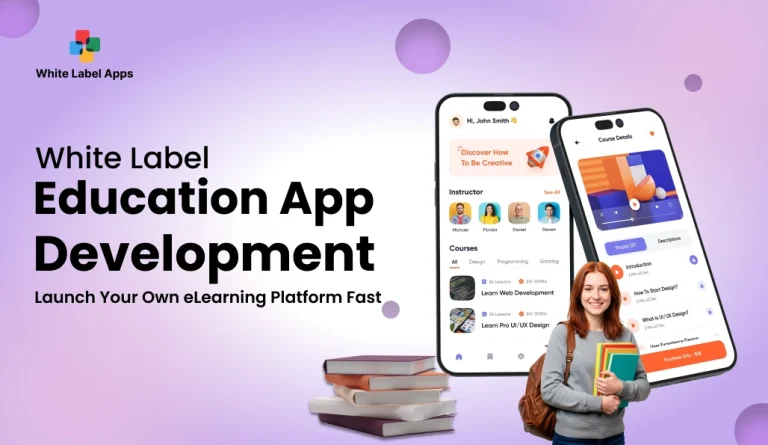
You want to teach online and grow fast. But the moment you try to set it up, things get messy. Too many tools, too many links, and students keep asking the same questions again and again.
That is where a White Label Education App helps. You get a ready learning setup and run it under your own name, so students see your brand from day one.
Building a custom education app from scratch can take 19–36 weeks and cost $25,000 to $300,000+, so many teaching brands start with a faster route before the market moves further. That speed matters because the e-learning market is expected to grow by USD 326.9 billion from 2024 to 2029, as per Technavio.
With white label app development, we help you skip the long custom app development phase. You get a ready-made app with the key flows already done, and then we make it look and feel like your brand. Your logo, colours, screens, and learning paths. Not a generic clone.
A solid team makes the biggest difference here. At WhiteLabelApps, we focus on clean course flow, easy student access, and simple controls for your staff. We also test the setup like real learners would, so you do not launch with avoidable confusion.
In this guide, you will see who uses these apps, why institutes choose them, and the levels of white labeling you can pick from. We will also cover key features, branding options, real use cases, and a simple build plan that keeps your learning business organised.
TL;DR
- One branded app replaces scattered links, PDFs, and daily follow-ups.
- You can launch faster and run courses in a cleaner way.
- Learners stay more consistent when the platform feels simple.
Key Points
- A White Label Education App gives your institute one place for courses, tests, notes, and announcements.
- Coaching centres, corporate trainers, solo educators, and large companies use it to teach under their own name.
- White labeling can be basic branding or full control with separate portals and a branded mobile app.
- A clear course structure and easy teacher controls reduce daily admin work and learner confusion.
- The best results come from a simple first-week flow, short lessons, and steady progress tracking.
What Is a White Label Education App?
A White Label Education App is a ready learning app that you can put your own name on. Think of it like renting a fully set-up classroom, then putting your signboard, colours, and rules on the door. The base system is already made. You just make it look like your brand.
You can usually change the app name, logo, colours, and the way your courses are shown. You upload your lessons, tests, and study material, then invite students to join. Students see your brand everywhere, so it feels like your own platform, not a third-party tool.
This works well when you want to start fast. Just remember, some parts may stay fixed, like how certain pages are arranged or how a few steps work. Before you pay, ask what you can edit and what cannot be changed.
Who Uses White Label Education App?
A White Label Education App is used by people and teams who want to teach under their own brand. They want one place for classes, lessons, tests, and updates, without building a platform from zero. It also helps when you want students or employees to stop jumping between WhatsApp, PDFs, and random links.
1. Coaching Institutes And Academies
Coaching centres use it to run batches in a clean way. Students can watch lessons, download notes, and take tests from one place. It also helps the institute look more serious, like a proper learning brand, not a scattered setup.
2. Corporate Training Companies
Training companies use it to deliver skill courses to business teams. They can create modules, track who completed what, and share updates without chasing people on email. It also becomes easier to run the same training for multiple client companies.
3. Independent Educators And Creators
Solo teachers and course creators use it to sell courses under their own name. They can upload videos, worksheets, quizzes, and run live sessions in one place. For them, the big benefit is brand trust, learners feel they are learning from you, not from a marketplace.
4. Enterprises With Internal Training Needs
Large companies use it for staff training, onboarding, and policy learning. They can keep everything private and organised, and give access only to employees. It also helps managers see training progress without asking each team member again and again.
Read More : White Label Wellness App Development: Build a Scalable Wellness Platform Under Your Brand
Why Your Institute Needs A White Label Education App?
If you run an institute, your biggest headache is not teaching. It is managing everything around teaching. Classes, notes, tests, reminders, fee follow-ups, and student questions. A White Label Education App brings all this into one place, so your team can breathe a bit.
1. Own A Company Website
A website is good, but it is not enough for daily learning. Students need a place they can open every day for lessons, updates, and practice. When you have your own app, your website becomes the front door, and the app becomes the classroom. It feels more organised for students and parents.
2. Need Affordable Solutions
Building a custom learning app from scratch can burn your budget early. A white label option lets you start with a ready setup and pay a smaller amount to begin. You can launch, start earning, and then upgrade later when your student base grows. It keeps risk lower in the first few months.
3. Want To Expand Your Business Operations
When your batches grow, things get messy fast. More teachers, more courses, more doubt sessions, and more tests. An app helps you run multiple courses in a structured way. It also helps you sell beyond your local area, so you are not limited to one city or one branch.
4. Limited Internal Resources
Many institutes do not have a big team. One admin person is handling calls, attendance, and fee reminders. A White Label Education App reduces manual work because students can get content, updates, and tests without calling your team each time. It also reduces mistakes that happen when everything is managed in chats and spreadsheets.
4 Levels Of White Labelling In Education Platforms
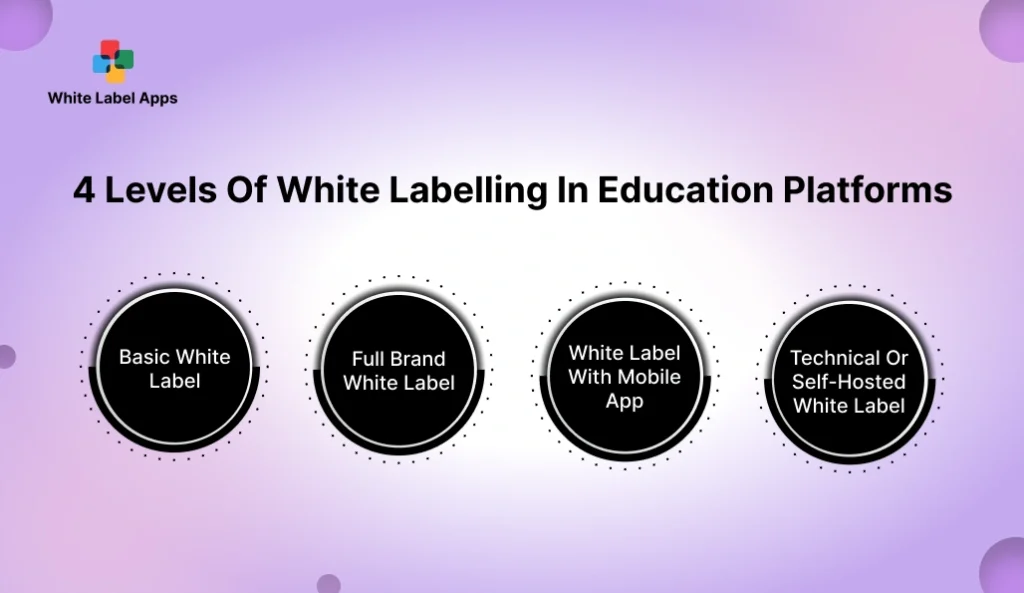
Not every white label setup gives you the same control. Some options only change the surface, like your logo. Others let you run the whole learning experience under your name. If you are choosing a White Label Education App, these four levels will help you understand what you are really buying.
1. Basic White Label
This is the lightest level. You usually get your logo and brand colours on the main screens. The learning system stays mostly the same for everyone who uses that platform. It works if you want to start fast and you do not need deep changes. But the platform may still show the provider name in some places, so check that.
2. Full Brand White Label
This level feels more like “your own platform.” Your brand name is shown across key areas like the dashboard, emails, and learner messages. You can also shape parts of the learner journey, like course layout or page text. For many institutes, this is the sweet spot because it looks professional without becoming complicated.
3. White Label With Mobile App
Here you get a branded app that learners can download on their phone. Your app name and icon show on their screen, which builds trust and daily habit. Students tend to open apps more often than websites, especially for quizzes, notes, and short lessons. This level is useful when your learners are mostly on mobile, which is common for coaching and skill courses.
4. Technical Or Self-Hosted White Label
This is the deepest level. You run the platform on your own setup, so you have more control over data, access, and rules. It can be a good fit for large organisations with strict internal needs. But it also means more responsibility. You need a team or partner who can handle upkeep, fixes, and updates, or it can become stressful.
Read More : White Label Coaching App Development Guide for Startups & Enterprises
Why You Should Start With A White Label Education App For Your Teaching Brand?
When learners pay you, they want a proper learning space. Not a mix of WhatsApp messages, random PDFs, and last-minute links. A White Label Education App gives you one clean place for classes, notes, tests, and updates, under your name. It makes your teaching feel like a real product, not a patchwork.
1. Full Brand Ownership
Your brand stays in front, every single day. Learners open the app and see your name, not someone else’s. That matters because trust is built with repeat exposure, not one big marketing post.
It also helps when students recommend you. They share your app name, your links, your certificates. You are not sending people to a platform that looks like a marketplace where your course is just one tile.
2. Saves Money In The Long Run
Early on, many institutes spend money in small, hidden ways. One tool for live classes, another for tests, another for notes, and then someone still has to manage it all manually. That cost keeps leaking every month.
A single platform reduces those leaks. You also save time, which is a real cost. Less daily chasing. Less “where is the link” support. Over a year, that calm adds up, especially when your batches grow.
3. Security And Data Protection
Learners share personal details, payment proofs, phone numbers, and sometimes even sensitive questions. If this data sits in open groups or shared folders, it can get forwarded or misused. One mistake can damage your name.
A proper learning app keeps things more private. Access can be limited to the right people. Students only see what they need to see. It feels like keeping student records in a locked cupboard instead of leaving them on a table.
4. Everything Stays Organised
Most learning businesses struggle because everything is scattered. Notes are in one place, tests are in another, doubts are in chats, and updates are on email. Students miss things. Your team repeats the same answers daily.
With one platform, your course content, class updates, and test schedules stay together. Learners know where to go. Your staff also finds things faster, which cuts daily confusion and saves hours every week.
5. Content Is Protected And Properly Controlled
When you teach well, your content becomes valuable. It gets shared. Screenshots get taken. PDFs get forwarded. It is hard to stop, but you can reduce it.
A branded platform gives you more control over access. You can decide who can view what, for how long, and when it should be removed. You can also update lessons without sending “new PDF” messages again and again.
6. Learners Take Your Platform More Seriously
Students behave differently when learning feels official. A proper app gives structure. It nudges them to follow the plan, complete lessons, and take tests on time. It also reduces casual skipping.
Parents and corporate buyers also judge you by presentation. A clean platform signals that you are organised and consistent. It can be the difference between “small tuition” and “serious institute” in their mind.
7. Gain Better Insight Into Learner Engagement And Behaviour
You do not need fancy reports to run a better course. You just need answers to simple questions. Who is watching the lessons. Who is skipping tests. Which topic is confusing. Who is stuck and silently falling behind.
When you can see these patterns, you can act early. You can send a reminder to the right batch, fix a weak lesson, or add a short revision test. It stops drop-offs and helps learners finish what they started.
8. Reduce Long-Term Technical Stress
Most founders do not want to spend their evenings fixing tools and chasing support. They want to teach, sell, and grow. A stable setup reduces daily firefighting.
You also avoid the “one person knows everything” problem. When systems are scattered, one staff member becomes the only bridge. When that person leaves, everything breaks. A single platform makes operations simpler, even when your team changes.
Benefits Of A White Label Education App
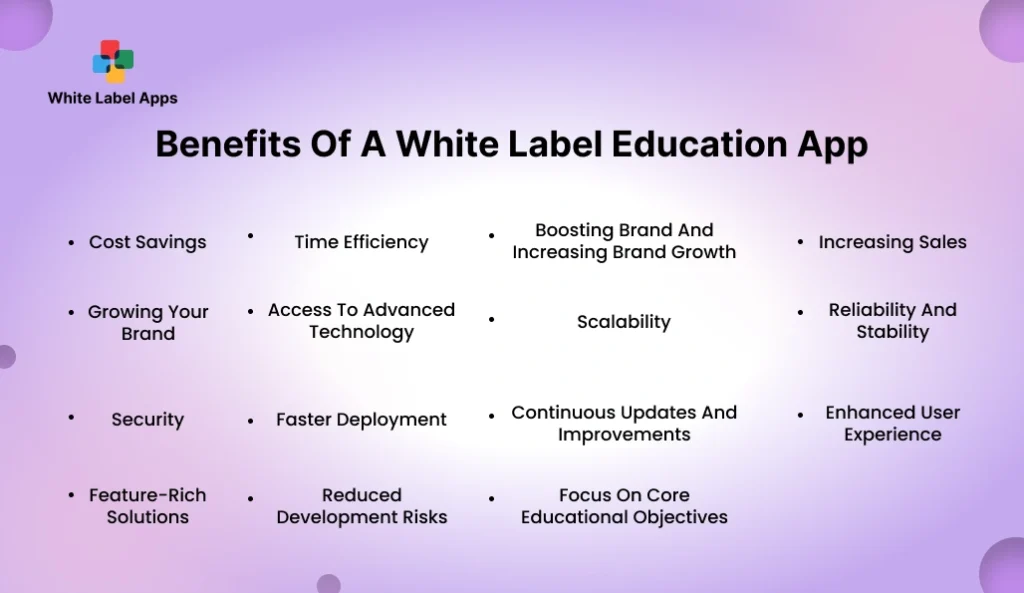
A White Label Education App helps you run teaching like a proper system, not a daily scramble. You stop sending the same links on WhatsApp. You stop hunting for old PDFs in chats. Your students also stop asking, “Where is today’s class.” Everything sits in one place, so learning feels steady. This matters because most students drop when things feel messy, not when the subject is hard.
It also helps your business side. You can launch new batches faster, repeat the same course flow, and keep your brand in front of learners every day. Your team spends less time on admin and more time on real student support. Over months, these small savings in time, effort, and confusion turn into real growth.
1. Cost Savings
You avoid the big upfront spend of building everything from scratch. You also cut the small daily costs that come from using many different tools for classes, tests, and notes. Over time, it feels lighter on the pocket and easier to plan.
2. Time Efficiency
Your team spends less time sending links, files, and reminders again and again. Learners know where to find lessons, tests, and updates. That saves hours of back-and-forth each week.
3. Boosting Brand And Increasing Brand Growth
When learners see your name every time they open the app, your brand stays top of mind. It feels more official than scattered PDFs and chat groups. This daily visibility builds trust faster.
4. Increasing Sales
A clean learning platform makes it easier to sell your courses. Parents and learners feel more confident when they see structure. It also becomes simpler to run new batches without chaos.
5. Growing Your Brand
When your platform looks consistent, people remember you. Referrals also get easier because learners share your app name, not a random tool link. It helps you look like a serious institute, even if you are still growing.
6. Access To Advanced Technology
You get useful learning tools without having to create them yourself. Things like tests, progress views, and course sections are already there. You focus on teaching instead of building features.
7. Scalability
You can start with one course and one batch, then add more as demand grows. You do not need to change your whole setup every time you grow. It supports more learners without breaking your daily flow.
8. Reliability And Stability
A stable platform reduces last-minute class confusion. Learners can log in, find content, and continue where they left off. That consistency keeps complaints low and trust high.
9. Security
Student data should not sit in open groups or shared folders. A proper platform limits access, so only the right people can view the right things. This protects your learners and protects your name.
10. Faster Deployment
With a White Label Education App, you can go live much quicker because the base is ready. You mainly add your branding and your course content. This is useful when you want to start earning soon, not “someday.”
11. Continuous Updates And Improvements
Over time, small fixes and new options get added by the provider. You do not have to rebuild the whole system to keep it modern. You keep teaching while the platform stays up to date.
12. Enhanced User Experience
Learners stay longer when the journey feels simple. Clear lessons, clear next steps, and fewer distractions make learning smoother. When it feels easy, people return.
13. Feature-Rich Solutions
You get many learning essentials in one place, like lessons, tests, progress, and announcements. This reduces the need for extra tools. Your operations feel more organised.
14. Reduced Development Risks
When you build from scratch, you can hit delays, rework, and budget surprises. A ready platform lowers that risk because it is already being used by others. You still need to test, but the foundation is more proven.
15. Focus On Core Educational Objectives
Your main job is teaching and helping learners improve. When the platform work is lighter, you can spend more energy on content quality and student support. That is what brings results, and repeat enrolments.
Read More : White Label Wealth Management Platform: A Complete Guide With AI Features
Key Features Of A White Label Education App
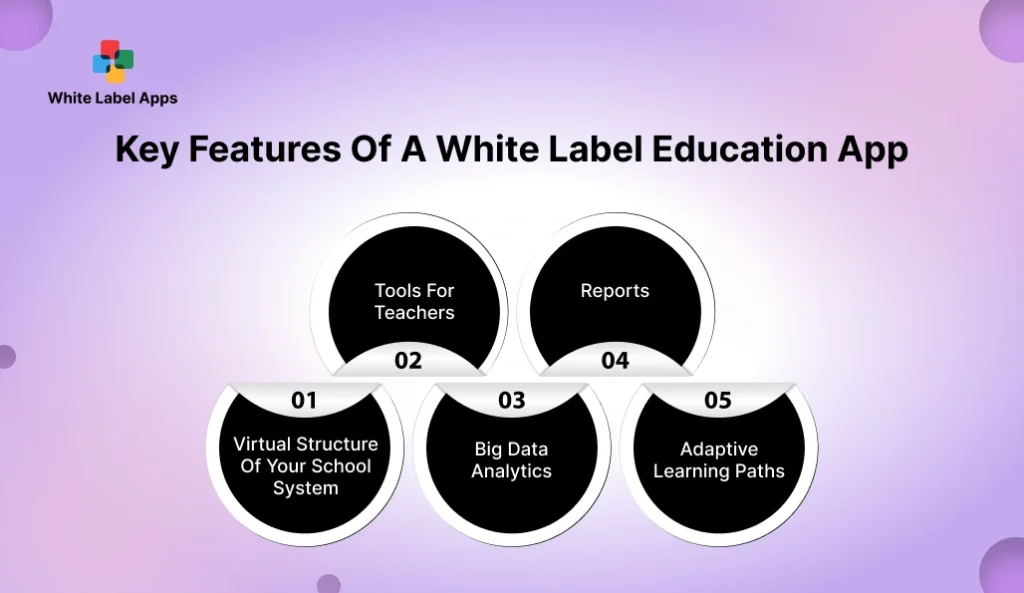
A White Label Education App should feel like a complete learning space, not just a place to upload videos. It should help students know what to do today, and help your team run classes without daily confusion. Below are the key features that make the platform actually useful in real life.
1. Virtual Structure Of Your School System
This means your app should look and work like your institute. Batches, subjects, modules, timetables, and course folders should be clearly arranged. A student should be able to open the app and instantly find their class, today’s lesson, and upcoming test. When the structure is clean, students waste less time, and your staff gets fewer “where is this” calls.
2. Tools For Teachers
Teachers need tools that feel easy to use. They should be able to upload lessons, share notes, post updates, and create tests by themselves. They should not need an admin for every small edit. They also need a simple way to reply to student doubts and spot who is falling behind. If a student misses tests or stops watching lessons, the teacher should see it early and step in. When teachers can manage these basics on their own, your daily work runs smoother and your team saves time.
3. Big Data Analytics
Do not get scared by the term. It simply means the app should show patterns from learner activity. For example, who watched the lesson, who skipped it, and which topic had the most wrong answers. This helps you improve your content and teaching style. It also helps you spot weak learners early, before they drop.
4. Reports
Reports are the simple summaries you use to make decisions. How many learners are active this week. How many finished the course. Which batch has low attendance. Which test was too hard. Good reports should be simple to read and quick to use. They should help you take action fast, like planning a revision class or sending a reminder to one batch.
5. Adaptive Learning Paths
Students do not learn at the same speed. Some need extra practice. Some move ahead quickly. The app should follow this reality. If a student is struggling with a topic, the app should guide them to more practice and a short revision lesson. If a student is doing well, the app should let them move forward instead of slowing them down. This keeps learning more personal, even when your batches are large.
Customization Options In White Label Education App
A White Label Education App should not feel like a copied template. It should feel like your institute, your teaching style, and your learners. Customization is not only your logo and colours. It is also how lessons are arranged, how students move from one step to the next, and how you track progress. When this flow matches your teaching style, students feel guided and less confused. Your team also spends less time handling the same doubts and confusion every day.
1. Content Formation
This is how your content is built and shown inside the app. You should be able to arrange lessons the way you teach, by topic, by week, or by exam chapter. You should also control what opens first, what stays locked, and what students can download. If your lessons have video, notes, and practice together, the app should support that flow instead of forcing you into a random order.
2. Progress Tracking
Tracking should tell you what is happening, in a quick glance. You should be able to see who is active, who is stuck, and who keeps missing tests. Students should also see their own progress, because small wins keep them going. You do not need flashy charts. You need clear labels like “completed,” “pending,” and “needs revision,” so you can take action fast.
3. User-Friendly Accessibility
Your learners will use different phones and different internet speeds. So the app should stay easy to use on smaller screens and slow networks too. You should also be able to adjust things like language tone, font size options, and simple navigation labels. When the app feels easy, even a busy student will open it daily without irritation.
4. Gamification Features
These are small motivation features. For example, a badge when someone completes a module, a streak for daily practice, or points for quiz attempts. You do not need to turn learning into a game. But small rewards can help students stay regular, especially in long courses. Also, keep it optional. Some learners like it, some find it annoying. You should be able to switch it on or off based on your audience.
5. Assessment And Evaluation
Tests and quizzes should match your teaching style. You should be able to set question types, time limits, retakes, and passing rules. You should also be able to decide how results are shown, like instant scores or delayed results after a test window closes. Good evaluation tools help learners improve and help you spot which topics need reteaching.
Read More : White Label Restaurant Software: Features, Integrations, And Reseller Tips
What Can You White-Label Within An Education Platform?
When you choose a White Label Education App, branding is not only about adding a logo. It means the full learning space should feel like your institute. When learners log in, study, and download certificates, it should feel like your own platform, not someone else’s system. These are the main parts you can usually brand.
1. Login Page
This is the first screen every learner sees. You can add your institute name, logo, colours, and a short welcome line. A clean login page builds trust quickly, especially for new learners who are paying fees and sharing personal details.
2. Portal
The portal is the main dashboard where learners see courses, lessons, tests, and updates. White-labelling here means your brand stays visible on key screens like the course list, the lesson view, and the menu. It also includes your tone, your labels, and your layout style, so students feel it matches your teaching brand.
3. Multi-Portal
If you run multiple branches or teach different groups, multi-portal helps. Each group can have its own space, with its own courses, teachers, and learners. For example, one portal for your school program, one for competitive exam prep, and one for corporate clients. It keeps things clean and avoids mix-ups.
4. Custom Domain
A custom domain means your platform link looks like your institute, not like a third-party link. For example, learn.yourbrand.com. This small detail makes you look more serious, and it reduces doubt in the learner’s mind when they make a payment or share details.
5. Customized Certificates
Certificates are often shared on LinkedIn, WhatsApp, and resumes. When the certificate carries your institute name, logo, and design style, it becomes free marketing. You can also add details like course name, learner name, completion date, and a unique certificate number, so it looks official and harder to fake.
Why Should You Opt For White Label Education App Branding?
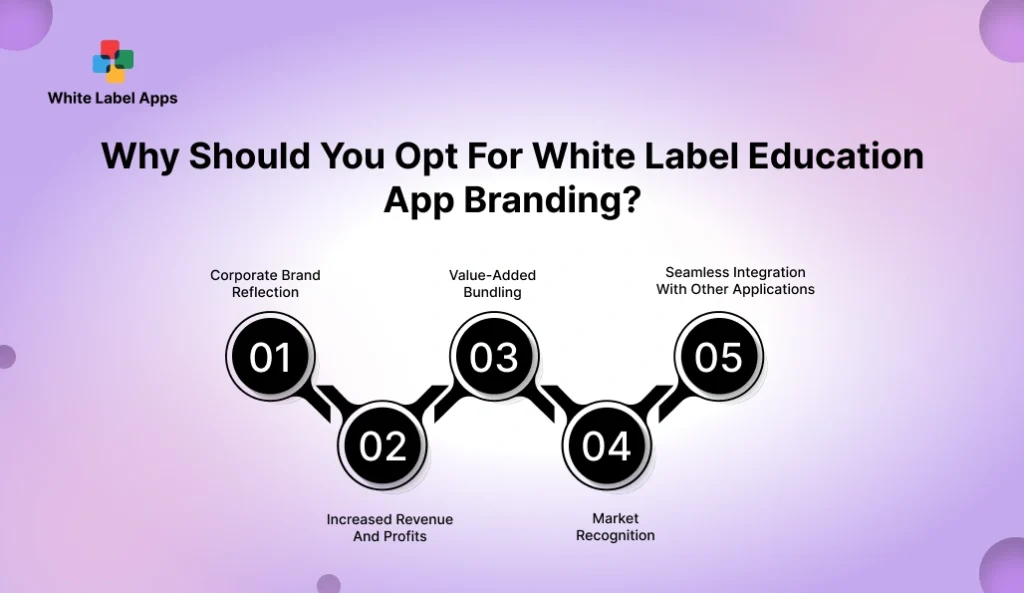
Branding is not only about looking good. It is about trust, recall, and sales. When learners open your app every day, they should feel they are learning from your institute, not from a random platform. A White Label Education App helps you keep that ownership, and it makes your learning business easier to grow over time.
1. Corporate Brand Reflection
If you train companies, brand matters a lot. HR teams want a platform that looks professional and matches their company image. When your platform carries clean branding, it feels like a serious training setup, not a patchwork of tools. This helps you win larger training deals and renewals.
2. Increased Revenue And Profits
A branded platform makes it easier to sell courses because it feels official. It also helps you keep learners inside your system, so you can upsell next-level courses, add paid tests, or offer premium batches. When learning happens inside your brand, your repeat sales get easier.
3. Value-Added Bundling
You can package your courses as a full product, not just “classes.” For example, a course plus tests, notes, practice plans, and doubt support, all inside one app. This kind of bundling helps you charge more without sounding expensive, because the value is visible.
4. Market Recognition
When students share your app with friends, your brand name travels with it. When certificates carry your logo, your name spreads again. Over time, people start recognising your institute as a “real learning brand,” not only a local coaching class. That recognition helps you grow beyond your area.
5. Seamless Integration With Other Applications
Your learning setup rarely runs alone. You may already use tools for payments, emails, or live classes. A good platform should work smoothly with what you already use, so your team is not copying the same info in two places. When things connect well, you save time and reduce mistakes.
Read More : White-Label vs Custom-Built Food Delivery Apps: Which Is Best for Startups?
Use Cases Of Our White Label Education App
A White Label Education App is not only for big schools. It also works for small teaching brands that want to look organised and run learning in a clean way. You can use one platform to deliver lessons, track progress, and support learners, without managing everything on calls and chats.
1. Language Learning
Language learners need daily practice. The app can host short lessons, speaking practice, and quick quizzes. You can also add weekly revision tests and simple progress tracking, so learners see improvement and stay motivated. It suits IELTS, TOEFL, spoken English, and regional language classes as well.
2. Online Tutoring
Tutoring is often one-to-one or in small groups. The app lets you share lesson material, homework, and test results in one place. It also cuts repeat questions because students can check the schedule, notes, and updates inside the app. This keeps tutoring more structured and less tiring for your team.
3. Online Coaching
Coaching often runs in batches, like competitive exams, coding bootcamps, or entrance prep. The app helps you organise modules, tests, and doubt support by batch. Learners know what to study today and what test is coming next. This structure improves consistency, which is the real secret behind better results.
4. Online Consultation
Some education brands also offer consultations, like career guidance, study abroad support, or admissions help. The app can manage bookings, forms, and follow-up tasks. It also gives learners a clear place to store documents and notes, so they do not lose track across emails and chats.
5. Online Mentoring
Mentoring needs trust and regular follow-ups. The app can help mentors share goals, action steps, and check-ins over time. It also helps learners stay accountable because they can track what they promised to do each week. For group mentoring, you can add shared sessions and simple community updates without making it noisy.
Success Stories: Brands Using White Label Education Apps
These examples show what a strong learning platform looks like in real life. Each brand has built trust by keeping learning simple, organised, and easy to return to. When you review them, do not get distracted by fancy screens. Notice the basics, like how courses are arranged, how progress is shown, and how learners are guided to the next step. A White Label Education App should help you copy the good parts, like clear dashboards, smooth lessons, clean tests, and certificates that feel official. It should also help you avoid the weak parts, like confusing menus or reports that nobody reads. Use these brands as a benchmark, then pick what fits your learners.
1. ProProfs Training Maker
ProProfs is a good example if you run short courses, staff training, or test-based learning. It focuses on keeping lessons, quizzes, and completion tracking in one place, so learners do not get lost. If you are building a White Label Education App for multiple client groups, this style is useful because it supports separate groups and clean course access. It is best when your training is structured and you want proof of completion, not just “watched a video.”
Key Features
- White-label classrooms where you can set different logos, themes, and brand colours.
- Separate groups, instructors, and courses for different audiences or clients.
- Course creation by uploading videos and files, plus user management and certificates.
- Quizzes with auto checking, instant feedback, and learner progress reports.
- Reports and tracking so you can see who completed what.
| Pros | Cons |
| Strong branding control for training “classrooms.” | You may still need time to set up courses and structure properly. |
| Easy to run different groups for different clients. | If you run many groups, admin work can grow unless roles are clear. |
| Built-in quizzes and feedback reduce manual checking. | Quiz-heavy learning may not fit every subject or age group. |
| Reports help you spot who is active and who is slipping. | Reports are only useful if someone reviews them weekly. |
| Certificates help your training look more official. | Certificate value depends on your course quality and testing rules. |
Read More : White Label Multi-Restaurant Delivery App: A Scalable Solution for Modern Food Businesses
2. LinkedIn Learning
LinkedIn Learning is more of a benchmark than a white-label setup. It shows what learners expect today, clear course lists, guided learning paths, and certificates people actually share. If you are planning a White Label Education App, use this as a reference for how simple navigation and clear progress can keep people coming back. It is strongest for skill training, but it is not meant to look like your own branded institute platform.
Key Features
- A large course library, LinkedIn Learning says 16,000+ courses.
- Learning Paths that bundle courses into a guided journey.
- Professional certificates with courses and assessments, and easy sharing on LinkedIn.
- Admin view of engagement, with date ranges like last 1, 3, 6, and 12 months.
- Downloadable reports that show learner activity and completions.
| Pros | Cons |
| Huge library helps learners find something for every level. | It is not built to look like your institute’s own branded app. |
| Learning Paths make it easier for learners to stay on track. | Learners can jump around and lose focus without your guidance. |
| Certificates can boost learner motivation and sharing. | Certificates may not matter for every learner or every course type. |
| Admin reports help you see usage and completions. | Reports can feel overwhelming if you do not decide what to track. |
| Good reference for “clean learning experience” standards. | You are building your brand, so a marketplace feel may not help you. |
3. KITABOO
KITABOO is a strong reference if your learning is content heavy, like books, notes, and structured reading. It is built around a reader experience, including offline access in many cases, so learners can study even with weak internet. If your White Label Education App is focused on digital books and controlled access to learning material, this style fits well. It is especially useful for publishers, schools, and coaching brands that sell course material in chapters.
Key Features
- White-label reader app so your brand stays on the learning experience.
- Offline reading, so learners can download and study without internet.
- Content protection and secure delivery, so copying is harder.
- Detailed usage tracking so you can see how learners consume content.
- Interactive digital content focus, useful for textbooks and rich learning material.
| Pros | Cons |
| Strong fit if your learning is textbook and content heavy. | If you mainly teach live classes, a reader-first tool may feel limited. |
| Offline access is great for weak network areas. | Offline use needs planning, like what learners can download and when. |
| White-label keeps your brand visible to learners. | Branding depth can vary, so you must confirm what is editable. |
| Content protection helps you control sharing and misuse. | No system can stop all copying, so set expectations clearly. |
| Tracking helps you see what is read and what is skipped. | Tracking is useful only if you act on it, like fixing weak lessons. |
How To Build A White Label Education App That Feels Like Your Brand?
A White Label Education App should not feel like a borrowed tool. It should feel like your institute, your teaching style, and your way of guiding learners. The secret is not doing “everything” on day one. It is doing the right basics well, then improving step by step.
1. Choose A Flexible LMS With White-Labeling Features
Start by picking a learning system that actually allows proper branding. Do not assume “white label” means full control. Ask what can be changed, like app name, logo, colours, emails, certificates, and your web link. Also ask what cannot be changed, like the order of screens or how lessons open.
Then check how easy it is to run daily work. Can your team upload lessons without help. Can you create a new course in one hour, not one week. If it feels hard in the demo, it will feel worse after launch.
2. Customize The Look And Feel For Learners
Your branding should show up in small places too, not only the logo. Use your own words and your own tone. For example, “Start today’s lesson” sounds more human than “Begin module.” Keep menus simple, because learners are not here to explore. They are here to study fast and move on.
Also keep the home screen clean. One clear next step. One place for live class links. One place for tests. Too many buttons make students stop and scroll, then quit.
3. Create Branded Learning Content
The app can look perfect, but content decides results. Build content in your teaching style. Short lessons. Clear notes. Practice questions that match your exams or goals. Give learners a simple weekly structure like “Watch, revise, practice, test.”
Add a welcome message and a simple roadmap. Students should know what week one looks like. When learners feel guided, they stay. When they feel lost, they disappear.
4. Set Up Personalized Partner Portals
If you teach multiple groups, portals keep things clean. For example, one portal for school students, one for competitive exam batches, and one for corporate clients. Each portal can have different courses, teachers, and rules.
This also helps if you sell training to other institutes or companies. You can offer them a separate branded space without mixing learners, content, or reports.
5. Integrate With Your Existing Systems
Do not break what is already working. If you already have a website, a payment method, or a student database, your app should fit around it. The goal is simple, fewer double entries.
Ask if you can connect your payment flow, email updates, and student sign-ups smoothly. If your staff has to enter the same student details in two places, mistakes will happen.
6. Automate Communication And Engagement
Most learner drop-off happens because people forget. They miss a day, then they miss a week. Simple reminders fix a lot. Set up automatic messages for things like new lessons, test dates, and missed progress.
Keep reminders short and polite. No shouting tone. One reminder is enough. Too many messages will annoy learners and they will mute you.
7. Continuously Optimize And Scale
Launch small, then improve. Run a pilot batch first. Track where learners stop, what questions keep coming, and which lessons have low completion. Fix one thing at a time.
Once your first course flow feels smooth, scale to more courses and bigger batches. Growth becomes easier when your base experience feels clear and calm. That is how your platform starts feeling truly like your brand.
Read More : White Label Mobile Apps Benefits
Tech Stack We Use for the Development of White Label Education App
You do not need to know these tools to run your institute. You only need to know what they help you get. We pick a stack that keeps your app fast, steady, and easy to manage as your student count grows. It should handle daily use without lag, even during test time or live class rush. It should also make updates simple when you add a new batch, upload fresh lessons, or change a course plan. The goal is clear, your team runs learning smoothly, and students get a clean experience every day.
1. Mobile App (Student And Teacher App)
- Flutter: One codebase for Android and iPhone. It keeps UI consistent.
- React Native: A good fit when you want faster app updates with a web-style flow.
- Native (Swift for iOS, Kotlin for Android): Used when you need deep phone-level control.
2. Web Panels (Admin, Teacher Portal, Reports)
- React.js: Clean dashboards and quick page loads for admin work.
- Next.js: Helps when you want a faster website experience and better indexing.
- Vue.js: Works well for simple, clean admin panels.
3. Backend (The App Brain)
- Node.js: Good for real-time features like notifications and chat-style flows.
- Laravel (PHP): Clean structure for course, user, and payment logic.
- Python (Django): Useful when you need data-heavy features and custom rules.
4. Database (Where Your Data Lives)
- PostgreSQL: Strong for structured data like users, courses, tests, and payments.
- MySQL: A common choice for LMS-style platforms.
- MongoDB: Useful when content formats vary a lot.
5. Cloud And Hosting
- AWS or Google Cloud: For hosting, storage, backups, and scaling based on usage.
- Cloud storage (S3 or similar): For videos, PDFs, and course files.
6. Security And Access Control
- Role-based access: Admin, teacher, student, and parent access stays separate.
- JWT / OAuth login: Secure sign-in sessions.
- Encryption: Protects sensitive data in storage and transfer.
7. Notifications And Communication
- Firebase Cloud Messaging: Push notifications for class updates and reminders.
- Email and SMS providers: For OTPs, alerts, and batch notices.
8. Payments (If You Sell Courses)
- Stripe / PayPal: Common options for course payments and subscriptions.
- Razorpay: Used when the payment flow needs India-first options.
9. Analytics And Reporting
- Google Analytics / Firebase Analytics: Tracks app usage and drop-offs.
- Custom reports: For completion, test scores, and batch performance.
10. Testing And Release
- Manual testing on real phones: Budget phones and slow networks included.
- Automated tests: For key flows like login, course access, and payments.
- CI/CD tools: For safer updates without breaking live users.
Average Cost of Developing White Label Education App
The cost depends on which path you take. With a White Label Education App, you usually pay a monthly fee to use a ready learning platform under your brand. With a custom app, you pay a bigger one-time build cost, then you keep paying every year to maintain and improve it.
A common white-label pricing style is “per active user, per month.” Some plans start around $3.58 per user per month. Small team plans can also start around $59 per month for up to 40 users, then scale up as your learner count grows.
Custom builds are a different story. One 2025 cost breakdown puts education app development between $25,000 to $300,000+, based on features and complexity. And after launch, many teams budget 15% to 20% of the build cost per year for fixes, updates, and upkeep.
| Item | White Label App | Custom App |
| Upfront Cost | Usually low. Mostly branding + setup. | Usually high. Full build cost upfront. |
| Ongoing Cost | Monthly fee, often based on active users. | Yearly upkeep often around 15%–20% of build cost. |
| Typical Range | Around $3.58 per user/month, or plans like $59/month for small teams. | Around $25,000 to $300,000+ depending on scope. |
| Time To Launch | 2 to 3 weeks | 4 to 6 months |
| Best Fit | When you want to launch fast and test demand. | When you need deep control and special rules. |
Read More : White Label App Marketplace: How Businesses Launch Apps Faster Without Building From Scratch
How To Monetize White Label Education App?
A White Label Education App can earn in more than one way. The best model depends on how you teach, who pays, and how often learners come back. Keep it simple at the start. Pick one main revenue model, then add the second only after the first one is stable.
1. Sell Paid Courses And Batches
This is the most common path. You sell a course for a fixed price and give access for a set time. For example, a 60-day crash course or a 6-month full program. It works well for coaching institutes, skill training, and certification prep.
To increase sales, bundle what learners already want. Classes plus notes plus tests plus weekly doubt support. When it is all inside one platform, it feels worth paying for.
2. Monthly Or Yearly Membership
This works when you have fresh content every month. Learners pay a monthly fee and get access to a library of courses, practice tests, and updates. It creates steady income and reduces the “new batch only” dependence.
Keep tiers simple. One basic plan, one premium plan. Too many options confuse buyers.
3. Paid Test Series And Mock Exams
Many learners pay for tests even if they do not buy full courses. You can sell topic-wise quizzes, weekly mocks, and full-length test series. This works well for entrance exams and job prep.
Add value with detailed solutions. A score without an explanation feels incomplete. Clear solutions build trust and repeat purchases.
4. One-to-One Tutoring And Mentorship
If you offer personal tutoring, you can sell time slots through the app. Learners book a session and pay per hour or per package. This works well for language learning, career guidance, and weak-student support.
The key is structure. Set clear rules like session length, rescheduling, and what the learner should prepare before the call.
5. Corporate Training Packages
If you sell to companies, price it per employee or per team. You can offer onboarding courses, compliance training, sales training, or skill programs. Companies like clear pricing and simple reporting.
You can also sell renewals by adding fresh content every quarter and running short assessments.
6. Add-On Upsells Inside The App
Once a learner is active, small upsells work well. Examples include premium notes, extra revision classes, “doubt clearing” packs, or special workshops. These are easier to sell because the learner already trusts your teaching.
Do not push too many upsells. One or two clear add-ons are enough.
7. Certificates And Paid Completion
Some learners want proof for resumes. You can offer paid certificates, especially when the course includes tests and completion rules. This works better for skill courses than casual learning.
Make certificates feel official with your branding, a unique ID, and a completion date. It increases perceived value.
How We Develop White Label Education App?
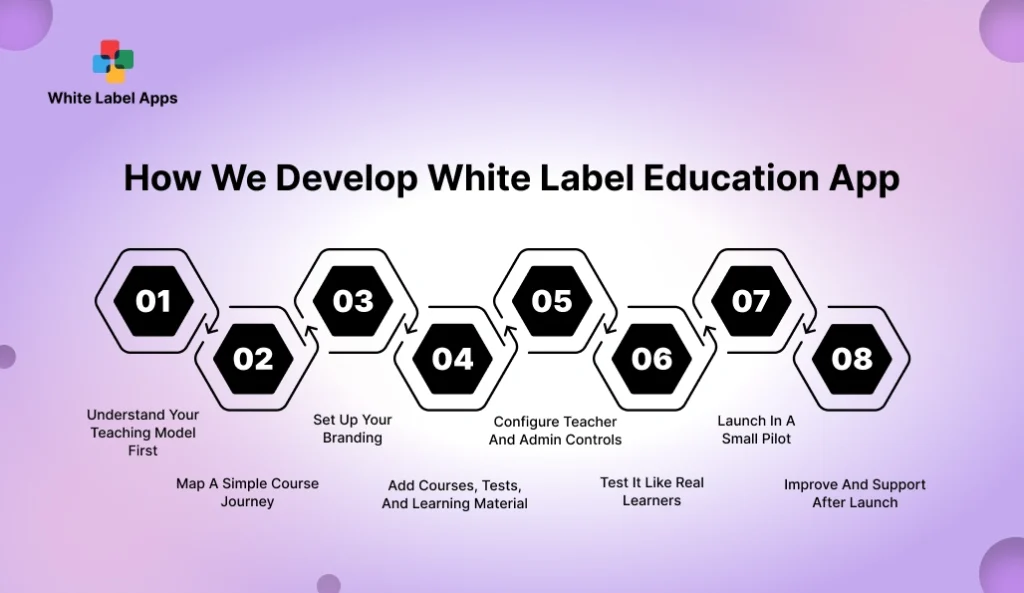
We keep the process simple, because most institute owners are busy running classes and handling students. Our goal is to give you a White Label Education App that feels like your brand, works smoothly for learners, and stays easy for your team to manage.
1) Understand Your Teaching Model First
We start by learning how you teach today. Do you run live classes, recorded lessons, tests, or all three. Do you teach in batches or one-to-one. We also note your course length, fee model, and how you handle doubts. This helps us set the right flow, so the app matches your daily routine.
2) Map A Simple Course Journey
We plan what a student sees in week one. Where they start, what they study first, and how they move to the next lesson. We keep the home screen clean and the steps easy to follow. If students get confused early, they stop using the app, so we fix the flow before anything goes live.
3) Set Up Your Branding
We add your name, logo, colours, and basic tone. We also update key areas like login screen, dashboard, course pages, and certificates, so the platform feels like it belongs to your institute. If you have a website, we also align the look so learners feel it is one brand.
4) Add Courses, Tests, And Learning Material
Next we upload your lessons, notes, and practice sets. We organise content in a clear structure, by course, batch, subject, and topic. We also set access rules, so only the right learners can view the right content, and paid courses stay protected.
5) Configure Teacher And Admin Controls
We set up the teacher side, so staff can post updates, create tests, and reply to student doubts without calling an admin every time. We also set up admin controls for batches, access, announcements, and basic reports, so your team stays in control.
6) Test It Like Real Learners
We test the app on real phones, including budget devices and slower internet. We check the boring but important flows too, like login, password reset, course access, test submission, and payment access. This step saves you from angry calls after launch.
7) Launch In A Small Pilot
We usually recommend a small pilot first, like one batch or a limited group. It helps you see what learners struggle with and what questions repeat. We fix those small issues early, so the full launch feels smoother.
8) Improve And Support After Launch
After launch, we track basic usage signals, like course completion and test attempts. We help you improve the flow step by step, so learners stay active and your platform grows without daily confusion.
Read More : Top 10 Best White Label Food Delivery App Providers
Future Trends of White Label Education App
A White Label Education App is moving beyond “upload videos and take tests.” Learners now expect quick learning, clear progress, and a platform that feels easy on a phone. Institutes also want fewer daily follow-ups and better control over content, access, and reports.
1. Short Lessons Will Win
More platforms are shifting to small lessons you can finish in 5 to 10 minutes. This fits real life, especially for working learners and busy students. eLearning Industry also points to microlearning becoming a big part of mobile learning by the end of 2025.
2. Skills Will Matter More Than Just Completion
People want proof of what they can do, not only “course completed.” That is why skills tracking is becoming a bigger trend in learning platforms. LinkedIn’s 2025 LMS trends talk about deeper skill tracking, not just course lists. The World Economic Forum also released a 2025 skills taxonomy toolkit that talks about building structured skill paths.
3. More Personal Learning Paths
Platforms are getting better at guiding learners based on what they struggle with. If a learner is weak in a topic, they get extra practice and revision. If they are strong, they move ahead faster. The World Economic Forum toolkit also mentions personalised learning pathways tied to skills.
4. Corporate Training Will Demand Clear Proof
For corporate training, “people watched the course” is not enough anymore. Companies want clear dashboards that show progress, skills gained, and who needs help. LinkedIn’s Workplace Learning Report page highlights how learning teams are focusing on skills and business outcomes, not just attendance.
5. Built-In Learning Help Will Become Normal
More platforms are adding built-in help that answers learner questions inside the course flow. Reuters also reported Pearson’s view that its education-focused AI tools improve learning outcomes compared to general AI. (Reuters, Feb 27, 2026). The simple takeaway is this: “smart help” is coming, but it has to be designed for learning, not just for chatting.
6. Mobile-First And Offline Access Will Grow
Learners are already mobile-heavy, and many study in short bursts. Platforms will keep improving for low network days, small screens, and quick downloads. This is one trend that keeps growing because it solves a real problem, students want learning that works even when the internet is patchy.
7. Content Control Will Get Stronger
More teaching brands are asking for better control over who can access content and for how long. This includes locked lessons, time-based access, and cleaner certificate proof. It is not about stopping all sharing. It is about reducing casual forwarding and keeping your paid content more protected.
White Label-Ready Education Apps We Can Rebrand For You
These are education apps that are already built and tested, and can be rebranded for your institute. Instead of starting from zero, you can pick a base that matches your teaching style, then add your name, logo, colours, courses, and access rules. A White Label Education App like this helps you launch faster, run batches in a cleaner way, and keep students inside one organised learning space. You also get a setup your team can manage daily, with less manual follow-up. Share your use case, coaching, corporate training, or tutoring, and we will suggest the closest fit.
1. Content Creation Collective (CCC)
Content Creation Collective (CCC) is a learning app and private community for people who want to earn from content. It is built for beginners who are still figuring things out, and also for creators who already post but want better results. The idea is simple. Learn the right skills, practise with a clear plan, and grow with support from other creators.
Inside the app, members get structured lessons on content planning, search basics, and audience building. There are also live sessions where experts share what is working right now. The community side helps creators connect, find partners for shoots, and stay consistent with weekly check-ins and monthly challenges. CCC also includes brand deal opportunities and member-only discounts on creator tools.
We can build a similar white label app for your company. You get your own branding, your own courses, your own community spaces, and your own rules, all inside one clean platform.
Key Features
- 23+ learning modules on content planning, search basics, and audience growth.
- Live sessions and workshops with experienced creators and strategists.
- Brand partnership opportunities for eligible creators.
- Creator channels to collaborate on shoots and joint projects.
- Weekly check-ins and monthly challenges to stay consistent.
- Member-only discounts on creator tools, software, and equipment.
2. À la garderie
À La Garderie is a simple app made for daycares and parents of kids aged 0 to 5. It replaces the old paper diary with a secure digital notebook. Educators can log meals, naps, and daily activities in minutes. Parents can check updates anytime, without calling the centre again and again.
The big win is time. Staff spend less time on admin work and more time with children. Parents also feel calmer because they get real updates, photos, and messages in one place. Everything stays saved, so families can look back at past notes and moments whenever they need.
We can build a similar white label app for your daycare or childcare brand. You get your own name, logo, colours, and the features your team and parents will actually use.
Key Features
- Digital daily log for meals, naps, activities, and routine notes.
- Secure photo and video sharing so parents see key moments.
- Direct messaging for quick updates and absence notes.
- Shared calendar for events, closures, and reminders.
- Full history saved, including messages, media, and daily notes.
- Attendance tracking and basic reports for admin needs.
Why Choose WhiteLabel Apps for White Label Education App Development?
You want an app that feels like your institute, not like a borrowed tool. You also need a setup your staff can run every day without getting stuck or calling for help. That is the focus behind our White Label Education App builds. The goal is simple, keep learning organised, keep access controlled, and keep the learner journey easy from day one. A clean first-week flow, clear course structure, and steady support after launch matter more than fancy screens. We build for that reality.
- Your Teaching Flow Comes First. The app is set up around how you run batches, classes, tests, and doubt support.
- Branding Looks Complete. Name, logo, colours, certificates, and key screens match one clear identity.
- The First Version Stays Simple. A clean home screen and an easy first-week plan help students stick.
- Content Gets Organised Properly. Lessons, notes, and tests are arranged so students find things fast.
- Real-World Testing Is Done. Checks include budget phones and slower internet, not only high-end devices.
- Access Rules Stay Clear. Paid learners get the right access, batches stay separate, and roles stay controlled.
- Pricing Is Shared In USD. You get a clear scope and a full cost list before you move ahead.
- Support Continues After Launch. Fixes and improvements are handled based on real student use and feedback.
Conclusion
A learning business grows when students stay consistent. Not when you run one big batch and then start over again. A White Label Education App helps you build that consistency by keeping classes, notes, tests, and updates in one clear place under your own brand.
Start small. Pick one course, one clear learner flow, and a simple first week plan. Make it easy to log in, find today’s lesson, and complete one task. When the basics feel smooth, everything else becomes easier, like new courses, new batches, and corporate training programs.
If you want to launch fast but still look professional, white label is a smart first step. Choose your partner carefully, ask what can be changed, ask for the full pricing in writing, and keep the learner journey simple.
If you want help building and branding your White Label Education App, connect with WhiteLabelApps. Tell us what you teach, who your learners are, and how you run classes today. We will help you shape a clean first version and launch it without the daily chaos.
FAQs
1. What is a White Label Education App?
A White Label Education App is a ready learning app that you can put your own brand name on. You add your logo, colours, courses, and tests. Students feel they are learning inside your institute’s platform, not on a third-party tool.
2. Can I sell courses through a White Label Education App?
Yes. Many teaching brands use it to sell paid courses, batches, and test series. You can also run free demo courses to build trust, then offer paid upgrades. The exact selling options depend on what the platform supports, so ask for a demo of the full buying and access flow.
3. Will my students need strong internet to use the app?
Not always. Many platforms work fine on normal mobile internet. Some also allow learners to download content for later. Still, you should test the app on a budget phone and a slower network before launch, because that is how many students will use it.
4. Can I fully control my content and who can access it?
In most cases, yes. You can decide which course is visible, which batch gets access, and what stays locked until payment or completion. Ask the provider how access works for videos, notes, and tests, and how you can remove access when a course ends.
5. How do I stop students from dropping after the first week?
Make week one easy. Keep lessons short, keep tests simple, and give one clear next step every day. Track where most learners stop using the app, then fix that part first. Small improvements every week keep learners engaged better than a big change once in a while.