You want to help people feel better, sleep better, and cope better. But the moment you think of building an app, it gets messy. Quotes feel random, timelines stretch, and you are stuck between sales talk and terms you do not use in daily life.
That is where white label app development can help. You start with a ready base and make it look like your brand, so you can launch without the long build headache.
This guide will show you the simple path, so you can make smart choices without feeling lost. You will know what to pick first, and what to keep for later, so the first version stays easy for users.
One number makes the need clear. In its 2024 global workplace report, Gallup said 41% of employees reported feeling “a lot of stress.”
A good team also matters more than the tool. The right people keep the app clean, set up your content in a sensible flow, and help you avoid common launch mistakes. They also keep support steady after launch, so you are not stuck solving every small issue alone.
This blog explains what a white label wellness app is, who it is for, and the real pros and cons. It also covers the key features, costs, ROI tracking, and how to pick the right partner.
TL;DR
- Launch a wellness app under your brand, without starting from zero.
- Keep the first week simple, so users do not drop off early.
- Choose a partner who is clear on price, support, and who owns the data.
Key Points
- White Label Wellness App Development helps you launch faster by branding a ready app and adding your programs.
- A simple first-week flow with short steps and clear next actions drives real repeat usage.
- This app style can work for hospitals, rehab centres, EAP teams, community care groups, return-to-work programs, and perinatal support, as long as the steps feel clear and calm for that audience.
- Most costs come as a monthly fee based on how many people use the app, plus a setup charge and extra fees for anything beyond the basics, so ask for the full price list before you sign.
- A reliable partner will show your exact use case, explain what is editable, and put data ownership and data exit rules in writing.
What Is a White Label Wellness App?
A white label wellness app is an app that is already built. You take it, put your brand name on it, and start using it for your wellness service. It saves you from starting from a blank page.
In most cases, you can change the app name, logo, colours, and the words users see on the screens. You can also upload your own wellness plans, daily tips, check-ins, and support steps. To your users, it feels like your own product, not someone else’s.
Many founders choose White Label Wellness App Development because it helps them launch faster and test the idea early. Just keep one thing in mind. Some parts may not be editable, like the way certain screens are arranged or the order of steps. Ask what is changeable and what is fixed before you pay.
How Does a White Label Wellness App Work?
First, you choose a ready app that matches your kind of wellness service. It already has the basics people need, like sign-up, profiles, programs, reminders, and simple progress tracking. You are not building from nothing. You are picking a base that is already working.
Next, you brand it. You add your name, logo, colours, and your style of writing. Then you load your own content, like daily tips, plans, check-ins, and short videos. If you offer sessions, you also set up time slots so people can book without calling or messaging back and forth. At this point, it starts looking like your product.
Then you test it properly. Create a few test accounts, go through sign-up, start a plan, and see how reminders show up. Try the “forgot password” flow too, because that is where many users get stuck. If anything feels confusing, fix it before you invite real users.
After you launch, you keep improving. Watch where people stop using it. If they quit after day three, your first steps may be too heavy. Cut the effort, shorten questions, and make the next action obvious. That is how you grow, one small fix at a time.
Also read : White Label Wealth Management Platform: A Complete Guide With AI Features
Who Is It For?
If you sell wellness support, you need one place where people can show up every day. With White Label Wellness App Development, you can offer that daily support under your own brand, without starting from scratch. Below are the common types of organisations that use it.
1. Mental Health Hospitals
Hospitals often run many programs at the same time. Patients also need clear next steps after they leave. An app helps you share daily routines, follow-up check-ins, and basic support in one place.
It also helps staff stay consistent. Everyone can use the same plan format, the same reminders, and the same simple check-in questions.
2. Rehab & Recovery Centres
Recovery needs structure. People do better when they know what to do today, not just “stay strong.” An app can share daily tasks, coping steps, and short reflections that feel doable.
It also gives a quiet way to ask for help. Many people feel shy to call, but they will send a message or fill a small check-in.
3. Community Mental Health
Community teams support people with different needs and different schedules. An app can make support easier to reach, even when a person cannot come in often. You can share small steps, simple trackers, and local resource info.
It also helps you stay connected without chasing. People can confirm they are okay, ask questions, and follow a plan at their own pace.
4. EAP
This is a workplace wellness and employee support program. Employees want privacy and quick help, not long calls. An app can offer self-help plans, stress support, and a clear way to book a session.
For the employer, it becomes easier to roll out the same support across teams. You get a cleaner process without making it feel heavy.
5. Occupational Rehabilitation
When someone is returning to work after injury or burnout, the steps matter. An app can guide them through small weekly goals, daily check-ins, and habit rebuilding. It keeps the plan clear for the user.
It also reduces confusion between sessions. People can see what to do next, even on a busy workday.
6. Perinatal Health
Pregnancy and the months after birth can feel overwhelming. People need gentle guidance and quick reassurance. An app can share short daily support, mood check-ins, and safe routines.
It also gives a way to ask questions without delay. That simple access can ease anxiety, especially during odd hours.
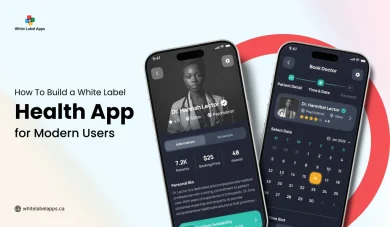
Read Also: How To Build a White Label Health App for Modern Users
Benefits Of Having A White Label Wellness App
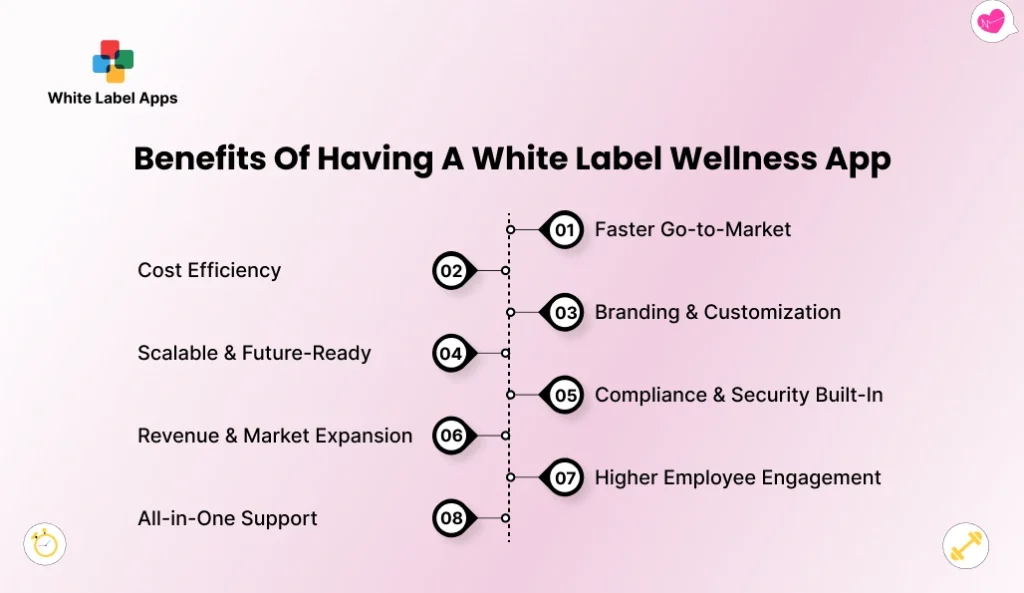
When you choose White Label Wellness App Development, you are not just buying an app. You are buying a faster way to start, and a cleaner way to run your wellness idea. It helps you stay organised, look professional, and keep users coming back without confusion.
1. Faster Go-to-Market
You do not start from zero. You start with a ready base, then shape it for your brand and your program. With White Label Wellness App Development, your main work is to add your content, set your steps, and check the user journey once. This matters when you want to launch in weeks, not months, and see if people actually use your plans.
2. Cost Efficiency
A fresh build can eat your budget fast, even before your first customer signs up. A ready option usually keeps your early spend smaller, so you can test your idea without panic. If your first program needs changes, you are not “rebuilding,” you are adjusting. That makes it easier to try one plan, learn from feedback, and improve without wasting money.
3. Branding & Customization
In wellness, trust comes from small things done right. When the app carries your name, your logo, and your style of writing, it feels like your space. People relax a bit. They are more likely to follow the plan.
Keep the words plain and kind. No heavy lines that sound like a hospital form. A simple welcome message, clear day-by-day steps, and gentle reminders can do a lot. Even the reminder tone matters. It should sound like a real person nudging you, not a cold system barking orders.
4. Scalable & Future-Ready
Most founders start with one program and a small group. Then a few things change, you add a new plan, a new coach, or a new customer group. A white label setup makes it easier to grow without starting again from day one. It feels like adding more shelves in the same shop, not moving to a new shop every time demand increases.
5. Compliance & Security Built-In
Wellness data is personal, and people worry about who can see it. A good setup usually comes with clear privacy rules, so only the right people can view sensitive details. It also keeps things locked with sign-ins and role limits, so staff do not see what they should not. Even as a small startup, this helps you look responsible and earn trust early.
6. Revenue & Market Expansion
An app can support different ways to earn, not just one service style. You can sell monthly plans, short programs, group packs, or even a basic free plan with a paid upgrade. For example, you might charge $19 a month for guided plans, then offer a $49 group program add-on. You can also pitch to small companies or local clinics, so you are not stuck with only one market.
7. Higher Employee Engagement
If you sell wellness to companies, the biggest challenge is usage. In many workplaces, people join once and then stop opening the app. Not because they do not care, but because life gets busy. The app works better when the steps are tiny and easy to finish, like a quick check-in or one small habit for the day.
People stay consistent when it does not feel like extra work. Privacy matters too. If support feels personal and quiet, more people will use it without worrying who is watching. Over time, this can lift participation without you chasing every user.
8. All-in-One Support
Most wellness support gets messy when it spreads across calls, texts, and random notes. An app brings your program, check-ins, guidance, and support messages into one place. Users do not need to search for links or ask, “Where do I start.” Your team also spends less time digging for context. When everything stays together, support feels calmer for both sides.
Also read : How to Launch a White Label Mobile App
Drawbacks Of Using A White Label Wellness App
A ready app can save you time, but it is not magic. With White Label Wellness App Development, you are working with a base that was made for many businesses, not only yours. So you need to know the weak spots before you commit.
1. White-Label Programs May Overwhelm First-Timers
If the app comes packed with too many programs and too many steps, new users can freeze. They open the app, see five choices, ten tabs, and long check-ins, then they quit. This happens a lot with wellness, because people come in when they already feel low or stressed. They need one clear next step. If the app does not guide them like that, you will see sign-ups, but low daily use.
2. Generic Programs Often Lack Tailored Guidance and Support
A “one plan for all” approach sounds fine on paper, but real users are not the same. A new mom, a night-shift worker, and someone in recovery will not respond to the same routine. Generic plans may also miss small but important details, like local resources, language tone, or the right pace. You might still need to create your own content to make it feel caring and real. If you skip this, the app can feel like a generic checklist, not support.
3. Compliance Complexities Favor Customized Wellness Solutions
Wellness data is sensitive, and rules can differ by country, state, and even by the type of care you offer. Some organisations need clear consent steps, strict access limits, and proper record keeping. A ready app may cover basic privacy, but it may not match your exact needs, especially for hospitals and rehab centres. If a partner or regulator asks detailed questions, you must have clear answers. In some cases, a custom setup becomes the safer path.
Must-Have Features For White Label Wellness App
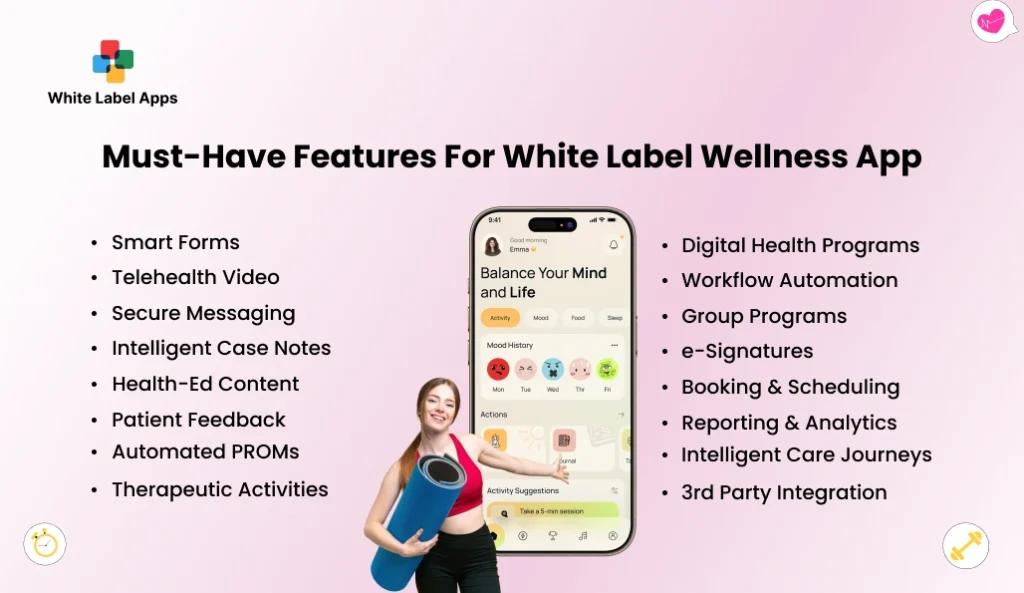
A wellness app should feel simple on day one. People should not need a guide or a long demo. In White Label Wellness App Development, these features are the ones that make the app usable, and not just “nice to have.” They help users take action, and they help you run your service without chaos.
1. Smart Forms
These are short question sheets that help you learn what a user needs. Keep them light. Ask only what helps you guide them better. For example, sleep, stress level, and what support they want this week. A good form also adapts, so the next question makes sense based on the last answer.
2. Telehealth Video
Some users want to talk face to face, but they cannot travel. Video visits solve that. The app should let users book a slot, join the call on time, and get clear reminders. It should also handle missed calls politely, with an easy way to reschedule.
3. Secure Messaging
Wellness needs privacy. Users should be able to message your team without fear that others can read it. Keep it simple, like a private chat. Also add clear rules, like response time and what to do in urgent cases. That avoids panic and reduces back-and-forth.
4. Intelligent Case Notes
Your team needs a simple place to note what happened in a session. Nothing fancy. Just clear notes that help the next coach understand the context. It should also keep the notes organised by date, so you do not lose track when a user returns after a few weeks.
5. Health-Ed Content
People like small lessons they can use today. Think short reads, quick videos, and simple tips. Break content into topics like sleep, focus, anxiety, and habits. The best content is not long. It is clear, calm, and easy to follow on a phone.
6. Patient Feedback
You need a way to ask, “Was this helpful.” Keep it to one or two questions after a session or a program step. That feedback tells you what is working and what is confusing. It also helps users feel heard, which matters a lot in wellness.
7. Automated PROMs
This sounds complex, but it is just regular progress check questions. For example, a small weekly check-in on mood, sleep, or pain. The app should send it on time, collect answers, and show a simple trend over weeks. This helps your team spot when someone is slipping, without waiting for a crisis.
8. Therapeutic Activities
These are small actions that calm the mind and body. Breathing timers, grounding steps, short journaling prompts, and gratitude notes are common. The key is ease. A user should be able to start an activity in 10 seconds, not after clicking five screens.
9. Digital Health Programs
Programs are the heart of the app. A program should have clear daily or weekly steps, not big vague advice. For example, a 14-day sleep reset or a 30-day stress plan. Users should know what to do today, and what comes next tomorrow.
10. Workflow Automation
This is about cutting manual follow-ups. The app can send welcome messages, reminders, and “next step” nudges without your team typing the same thing daily. It can also alert your staff when someone misses check-ins for a few days. That way support feels timely, not random.
11. Group Programs
Groups make wellness feel less lonely. The app should support group challenges, guided group plans, and group check-ins. It should also let people share wins safely, without turning it into social media drama. Clear rules and simple moderation controls help here.
12. e-Signatures
If you take consent, waivers, or program agreements, users should sign inside the app. No printing. No scanning. Just a simple sign step that feels quick and clear. This also saves your team from chasing forms later.
13. Booking & Scheduling
Scheduling should feel effortless. Users pick a date and time, get reminders, and can reschedule without awkward calls. It should also block double bookings, and show clear session length. Even a small thing like showing “30 minutes” vs “60 minutes” reduces confusion.
14. Reporting & Analytics
As an owner, you need simple numbers that answer real questions. How many users are active this week. How many finished week one. Which program has the highest drop-off. These reports should be easy to read, not full of charts that nobody understands.
15. Intelligent Care Journeys
Different users need different paths. Someone struggling with sleep should not get the same next steps as someone dealing with burnout. The app should guide users based on what they pick and how they respond over time. It should feel like a plan that adjusts, not a fixed script.
16. 3rd Party Integration
Your app may need to connect with tools you already use, like calendar, email, or payment tools. The goal is simple, fewer double entries. If your team has to type the same info in two places, mistakes happen. Clean connections save time and reduce missed follow-ups.
Also read : Top Benefits of White Label Mobile App for Restaurants
Top Examples Of White Label Wellness App
If you are exploring White Label Wellness App Development, it helps to look at a few real products in the market. These names are popular in workplace wellness and wellness programs. Do not pick only by a nice home screen. Ask what you can rebrand, what support you get, and what happens to your data if you ever leave.
1. Vantage Fit
Vantage Fit is one option you will see in corporate wellness. It is often used for step challenges, habit building, and team wellness drives inside a company. For a startup owner, it can be a good reference point for what users expect in a “daily wellness” app. If you plan to resell it under your own brand, ask clearly if full rebranding is supported, or if it stays as their branded app.
Key Features
- Team wellness challenges to drive participation.
- Rewards and points to keep people coming back.
- Activity tracking like steps and calories.
- Mood check tools are mentioned as “mood-o-meter.”
- Works as a branded, white-label option
| Pros | Cons |
| Wellness challenges can keep people active daily. | If your program is clinical, check if it feels too “workplace fitness” first. |
| Rewards can push participation for teams. | Rewards work only if you have a clear budget and rules. |
| The app focuses on simple tracking and health habits. | Some users do not like tracking, they may drop off early. |
| The Play Store listing highlights tools like mood tracking and short workouts. | Too many features can confuse first-time users if your onboarding is not tight. |
| Their white-label page explains the idea of branding a ready wellness program. | Always confirm what is truly editable and what stays fixed. |
2. WellSteps
WellSteps is built for people who want to offer wellness under their own brand. Their reseller setup talks openly about a white-label option, where your clients see your logo, colours, and messaging. That makes it easier to sell wellness as a service without building the whole system yourself. If your plan is to work with multiple client companies, this model can fit well because you can repeat the same setup and scale it up.
Key Features
- White-label setup with your logo, branding, and messaging.
- Customizable portal and app with your logo, colours, and imagery.
- Reseller-style model, where you manage the program after training.
- Mentions pricing “as little as $0.50 per participant per month”
| Pros | Cons |
| Their reseller page clearly says you can use your logo, branding, and messaging. | The reseller model may feel heavy if you want a very quick, light launch. |
| Their site says you can customise the app look with logo and colours. | You may still need time to prepare content, plans, and weekly routines. |
| They talk about training and support for running the program. | If your team is small, training plus setup can feel like extra work. |
| It is built for repeat programs you can sell to many client companies. | It is mainly workplace wellness, so check fit for rehab or hospitals. |
| Their blog notes the WellSteps name can stay in parts like the domain. | If you need “100% your brand everywhere,” confirm this in writing. |
3. Wellics
Wellics has a dedicated white-label offering focused on employee well-being. The big idea is simple, you run wellness programs under your own banner, not theirs. They also talk about easy setup, flexibility, and the ability to grow the program as your organisation grows. If your startup wants to look like a serious wellness brand from day one, this kind of white-label option is worth checking.
Key Features
- White-label program you can shape to your brand.
- Flexibility to adjust and evolve your wellness programs over time.
- Built-in reporting and “insights” to track what people do.
- “Turnkey” setup, meaning they position it as easier to roll out.
| Pros | Cons |
| Their white-label page highlights branding under your banner. | It is positioned around employee wellbeing, so check clinical fit. |
| They mention customization and flexibility for your programs. | “Custom” can still have limits, ask what cannot be changed. |
| They claim the platform can scale as your organisation grows. | Scaling can raise cost later, ask what changes when users grow. |
| Their site talks about tracking areas like sleep, mental fitness, nutrition, and activity. | If your audience wants only one focus, this can feel too broad. |
| They mention reports to help you make decisions. | Reports are useful only if you will review them weekly, not once a year. |
4. GoPivot
GoPivot positions itself around wellness and rewards, where people earn points for healthy actions. Their site also mentions “custom solutions,” including white-labeled communication, which matters if you want your own voice and brand to show everywhere. This style works well when your users need a push to stay consistent, like daily steps, weekly goals, or safety habits. If your business model depends on engagement, rewards-based setups like this can be a strong match.
Key Features
- Points-based rewards. People earn points and redeem for rewards like gift cards and more.
- Wellness content plus a rewards model in one app.
- Workout plans and instructor-led videos are highlighted on their health + wellness page.
- Can connect activity trackers to sync activity into profiles.
| Pros | Cons |
| Their page explains a points system to reward healthy actions. | If your users do not care about points, engagement may dip. |
| They mention points can be redeemed for rewards like gift cards. | Rewards need clear rules, or people get upset fast. |
| The Google Play listing says it combines wellness content with a points model. | Gamified wellness can feel childish for some audiences. |
| It is built for workplace wellness and safety programs. | If you are selling therapy-style support, it may not match your tone. |
| GetApp notes reporting tied to points and redemptions. | If you do not run rewards, some reporting may not matter to you. |
5. Wellness 360
Wellness360 is very direct about white-label. They describe a fully branded wellness app where customers see your logo, colours, app icon, and even your domain. They position it as a ready way to offer fitness, mental health, coaching, and rewards without building the app from scratch. For startups, it is useful when you want one system you can package and sell as “yours,” especially for workplace wellness.
Key Features
- Full branding: your logo, colours, app icon, and even your website address.
- They mention security and ongoing feature upgrades on their side.
- Rewards, challenges, and goal tracking show up across their app pages.
- Includes mental health tools like stress and mindfulness support (positioned for workplace use).
- Can connect with wearables and other wellness apps.
| Pros | Cons |
| Their white-label page positions it as an “all-in-one” white-label platform. | “All-in-one” can feel heavy if you only need a simple program. |
| Their FAQ mentions challenges, tracking, and rewards as core parts. | More modules can mean more setup decisions for a non-tech founder. |
| Their FAQ says fitness data can sync from Apple Health, Fitbit, Garmin, and more. | If your users do not use wearables, this feature adds little value. |
| SoftwareAdvice lists white-labeled portals plus challenges and rewards. | Pricing can vary a lot, so ask for the full fee list early. |
| Their site pushes workplace wellness across web and mobile access. | If you need hospital-grade workflows, confirm support and compliance scope. |
The White Label Wellness App Development Process
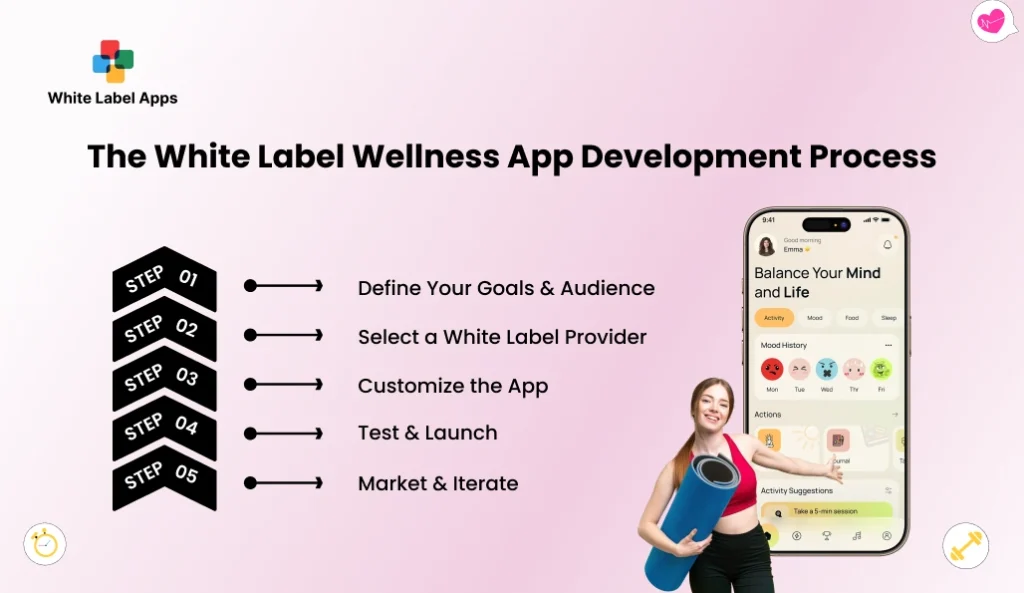
This is the simple path most non-tech founders follow. With White Label Wellness App Development, you are not building from scratch. You are choosing a ready base, making it look like your brand, then launching in small steps so you do not waste money or time.
Step 1: Define Your Goals & Audience
Start with one clear promise. What problem are you solving in plain words. Stress support for employees, recovery check-ins, or postnatal guidance. Pick one main group first, not everyone. When you try to serve all, the app feels messy.
Write down 3 things you want users to do in week one. For example, finish day 1, do 3 check-ins, and book one session. These small actions decide if people stick. Also decide your “no” list, like no long forms, no heavy daily tasks, and no confusing choices on day one.
Step 2: Select a White Label Provider
Now shortlist 3 providers and ask simple questions. Can I fully put my brand on the app. What parts cannot be changed. What support do I get in the first 30 days. How do I take my data if I leave. If answers are vague, treat it as a red flag.
Ask for a live demo and act like a real user. Do a sign-up, start a program, and try to book help. Note every place you feel stuck. A good provider will not rush you. They will show you how the app works when things go wrong, like missed sessions or forgotten passwords.
Step 3: Customize the App
This is where you make it feel like “you.” Add your logo, colours, and simple words. Keep the first version light. One home screen. One clear program. One clear help option. If you add ten things at once, users will not know where to begin.
Also prepare your content in small bites. Short daily steps work better than long lessons. Add a welcome message that sounds human. Add a simple “what to do next” line after each step. In wellness, clarity is care. Confusion feels like neglect.
Step 4: Test & Launch
Before you go public, run a small pilot. Use 10 to 20 people, not 200. Mix them, a few complete beginners, a few regular wellness users, and one or two team members. Ask them to use the app for 7 days and share what felt annoying.
Test the boring stuff too. Sign-up, password reset, booking, reminders, and support messages. Also test privacy steps, like who can see what. After you fix the main friction points, launch softly. Invite people in batches so you can handle questions without chaos.
Step 5: Market & Iterate
Do not overthink fancy marketing early. Start with one simple offer and one simple message. “Try the 7-day calm plan,” or “Join the sleep reset.” Keep the start point the same for everyone, so you can see what works.
Then watch real behaviour. Where do users drop. Day 2, day 4, or after the first check-in. Fix one thing at a time, like shorter steps, clearer reminders, or fewer screens. Growth is usually small fixes stacked together. Not one big rewrite.
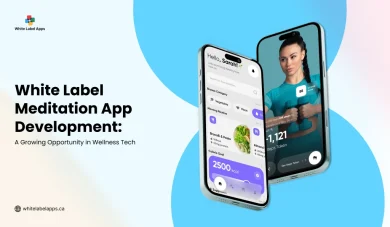
Also read: White Label Meditation App Development for Wellness Brands
How To Measure Your White Label Wellness App’s Success And ROI?
When you invest in White Label Wellness App Development, you need proof that it is working. Not vibes. Pick a few simple numbers and track them every week. If the numbers are flat, you change the plan. If they go up, you double down on what people are using.
Start with basic usage. How many people opened the app this week. How many finished the first week of a plan. How many did the daily or weekly check-in. Also note where people stop using it. If most users disappear after day two, your start is too hard. Shorten steps, reduce questions, and give one clear next action.
Next, look at business results. Track how much you earned from the program and how much you paid to run it. Add support time too, because time is money. If your team is spending hours answering the same questions, your costs rise quietly. A simple monthly sheet is enough. Money in, money out, renewals, and support hours.
Finally, watch long-term signals. Renewals matter more than downloads. Referrals matter more than likes. If people keep coming back and they tell others to join, your wellness offer is becoming real, not just a nice idea.
The reason this tracking matters is simple. Mental health issues can hit work and productivity in a big way. The World Health Organization says depression and anxiety lead to 12 billion working days lost every year, costing about US$1 trillion in lost productivity.
How To Choose The Right White Label Partner?
This choice can make or break your launch. A good partner helps you go live smoothly, then keeps things steady when users grow. A bad one gives you a pretty demo, then disappears when you need help. In White Label Wellness App Development, you are also trusting them with sensitive user info, so pick with care.
1. Check If They Match Your Exact Use Case
Do not accept a generic demo. Ask them to show the app the way your users will use it, day one to day seven. If you run workplace wellness, see how check-ins and daily plans work. If you run rehab or perinatal support, see how private notes, consent steps, and follow-ups are handled. If they cannot show your flow clearly, you will spend months forcing the tool to fit. That usually ends in churn.
2. Confirm What You Can Change, And What You Cannot
Branding is easy to promise. True control is harder. Ask what you can change on your own, like name, logo, colours, and the words on screens. Then ask what stays fixed forever, like the order of screens or the way programs run. Get this in writing. Many founders assume they can “adjust later,” then they realise later is either costly or not possible. Clear limits early save you stress later.
3. Ask For The Full Price List, Not A Starting Price
A low starting fee can still become expensive. Ask for a full price list in simple words. It should show the monthly fee, the one-time setup fee, and what you pay for support. Also ask how the price changes when you grow from 100 users to 1,000 users, so you are not shocked later. Some plans jump suddenly, and you should know that before you start selling. Ask them to quote in USD and show you a couple of sample invoices. If they refuse to share real examples, take it as a red flag.
4. Get Data Ownership And Exit Rules In Writing
This is the big trust test. Ask who owns the user data, where it is stored, and who can access it. Then ask how you can take your data out if you leave. Not “yes, you can export,” but how exactly, and in what format, and in how many days. Also ask if they charge an exit fee. A strong partner will answer without acting defensive. If the answers feel slippery, walk away.
5. Test Support Before You Sign A Long Contract
Support looks great during sales calls. You only know support is good when something goes wrong, like a user stuck outside the app on a Sunday or a plan page not opening. Ask how fast they reply on normal weekdays and on weekends. Also ask who will help you, a fixed support person or whoever is free in a shared queue. Then do a small pilot for one week with 10 to 20 users and watch the response time. If they struggle with a tiny pilot, scaling will feel like chaos.
6. Check Onboarding And Daily Operations Fit
You want a setup that your team can run without being “tech people.” Ask how you will add new programs, update your content, and reply to user questions. Also check how long a small change takes, like editing the welcome message or adjusting one step in a plan. If every small update needs their team, your speed will be slow and your costs will rise. The best partner gives you control over daily work, and steps in only when you truly need help.
Conclusion
A wellness app can look simple on the outside, but the real test is daily use. People join when they feel hope, then they leave when the app feels confusing. So keep the first version small, clear, and easy to follow.
With White Label Wellness App Development, you can launch under your own brand without building everything from day one. But do not rush the partner choice. Ask for the full price in writing. Check what you can change and what stays fixed. Ask how support works, and who owns the user data.
Begin with a small trial. Even 10 to 20 people is fine. See what they complete, where they drop, and what they keep asking. Fix those issues, then open it up to more users.
If you want help setting up the first version and putting your brand on it, reach out to WhiteLabelApps. Tell us your audience and what you want the app to do, and we will map a simple launch plan for you.
FAQs
1. What is a white label wellness app in simple words?
It is a ready app you can put your own brand on. You add your name, logo, colours, and your wellness content. Your users feel it is your product, even though the base app was already built.
2. How fast can I launch with White Label Wellness App Development?
If your content is ready, you can go live in a few weeks. Delays usually happen when the program content is still unfinished, or when branding keeps getting changed. Start with one simple program first. Share it with a small group, see where they get confused, fix that, then add the next program.
3. Can I make the app look fully like my brand?
In many cases, yes. You can usually change the name, logo, colours, and the content inside your plans. But some parts may stay as they are, like the screen order or how a step works. Before you sign, ask what you can change yourself and what is locked.
4. Will I get to keep my user data?
Only if your agreement says so. Ask who owns the data, where it is stored, and how you can take it out if you stop the service. Also ask what they do with the data after you leave. Get these answers in writing.
5. How do I stop users from quitting after a week?
Make week one easy. Keep daily steps small. Keep check-ins quick. Give users one clear “do this next” action. See where most people stop using the app, then fix that one point first. Small changes each week work better than a big redesign later.