
A client can ask you a tough question on a Monday morning. “Can we launch our app fast?” Not next quarter. Not after 6 workshops. Fast. That is where a white label app builder starts making sense.
Most businesses do not want a custom app story. They want a working app that looks like their brand and does the job. Ordering, booking, payments, updates, and support. Agencies and consultants want the same thing too. A repeatable way to deliver without rebuilding everything from zero.
But here is the catch. Builders are not magic. Some are great for speed and simple use-cases. Some feel limited once you need deeper features, special workflows, or strict security rules. So before you pick any tool, you should know what “white label” really means, how the builder works behind the scenes, and when a custom build is the smarter call.
This guide breaks it down in plain English. What it is, how it works, the real benefits, the real limits, and how to choose the right option for your business.
What is a White Label App?
A white label app is a ready app that you can rebrand and sell as your own. The base product stays the same, but the branding changes. So the client gets their logo, colours, app name, and store listing. To the customer, it feels like the business built it in-house.
This model works well when many businesses need the same core flow. Like ordering, booking, delivery, or memberships. Instead of building from zero every time, you customize a proven base and launch faster. It also helps you standardise delivery. Same process. Same checklists. Fewer surprises.
A white label app is not the same as “copy-paste.” Good white label products still allow real configuration. Things like payment methods, delivery zones, staff roles, push notifications, and admin controls. The best ones also give you clean handover and support options, because launch day is only day one.
What is a White Label App Builder?
A white label app builder is the tool you use to create and customize a white label app without building everything from scratch. Think of it like a control room. You pick the type of app, set the branding, switch features on or off, connect payments, and manage users from one dashboard. Many tools also let you publish updates and manage multiple client apps from the same account, which is useful if you run an agency or reseller setup.
A builder matters because most clients do not pay for “code.” They pay for outcomes. A working app that looks like their brand, loads fast, and helps them take orders, bookings, or subscriptions. A builder helps you deliver that outcome faster and in a repeatable way. This is why white label builders are popular with marketing agencies, freelancers, and small SaaS teams who want to add apps to their offers.
Still, not every builder fits every use-case. Some are great for simple apps. Some struggle when you need custom workflows, special integrations, or strict controls. So it helps to understand how the builder works before you commit.
Also Read: Top 21 Industries to Target With Your White Label Mobile App Reseller Program
How Does a White Label App Builder Work?
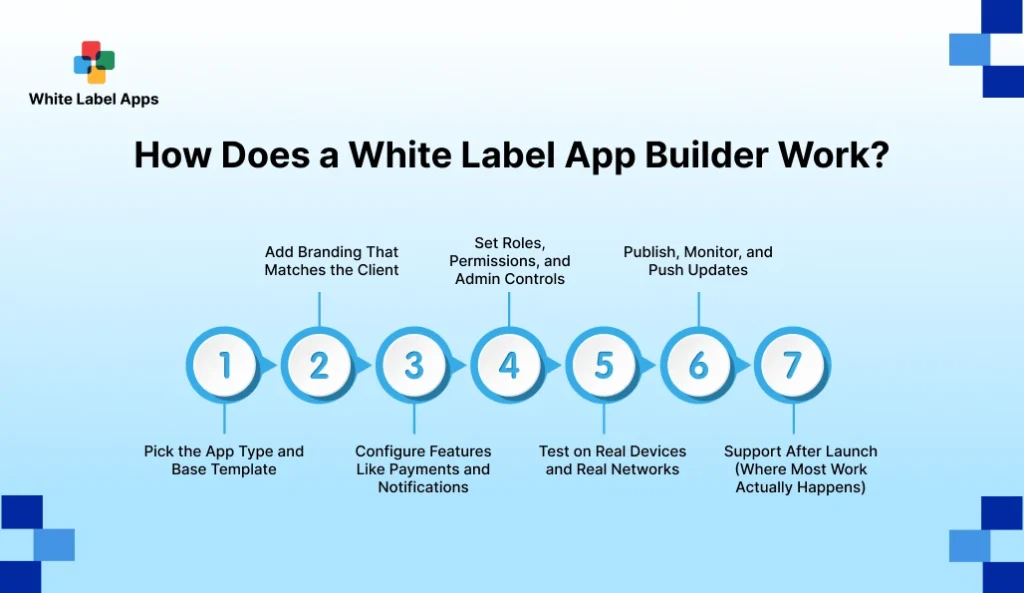
A white label app builder usually works like a repeatable setup line. You pick a base app type, add the client’s branding, and switch on the features they need. Payments, notifications, user roles, and an admin panel. Then you test the key journeys like signup, checkout, and updates on real devices, not just your laptop. After that, you publish and maintain. Updates, small fixes, and support tickets are part of the package, because launch day is only day one. This process is what makes white label delivery fast and scalable, especially when you are managing multiple client apps at the same time.
1. Pick the App Type and Base Template
You start by choosing what kind of app you are building. Ordering, booking, delivery, content, or community. Most builders give you templates for each use-case. This saves time because core screens are already designed. Your job is to pick the closest fit, not force one template to do everything.
2. Add Branding That Matches the Client
Next comes the branding layer. Logo, colours, app name, and sometimes fonts and icons. This is where the app starts looking “owned.” A good builder also supports separate branding for each client, so you can manage many apps without mixing assets.
3. Configure Features Like Payments and Notifications
Now you switch on the working parts. Payments, taxes, coupons, and delivery fees, if needed. You also set notifications so customers get order or booking updates. This step matters because small settings can change the whole user experience.
4. Set Roles, Permissions, and Admin Controls
After that, you define who can do what. Owner, manager, staff, delivery agent, or support. Admin controls keep operations clean. They also reduce mistakes because not everyone should have access to refunds, reports, or pricing changes.
5. Test on Real Devices and Real Networks
This is where many projects fail. You must test signup, OTP, checkout, and notifications. Test on older phones and slower networks too. Try one failed payment and one refund flow. These checks take a little time but save you from launch-day chaos.
6. Publish, Monitor, and Push Updates
Once testing is done, you publish the app. Some builders help with store submissions, while others leave it to you. After launch, you monitor basics like crashes, drop-offs, and user complaints. Updates should be easy to push without rebuilding everything.
7. Support After Launch (Where Most Work Actually Happens)
Real work starts after launch. Password resets, menu edits, new staff accounts, and small fixes. A good support plan keeps the app useful and keeps your revenue steady. This is also where clients decide if they will stay long term.
Read More : White Label Ordering Platform
White Label App vs. White Label App Builder
A white label app is the finished product the end customer uses. The white label app builder is the tool you use to create, customise, and manage that product. Many people mix the two, so it helps to separate them.
A white label app is what your client sells under their brand. It sits on the App Store or Google Play. It has their logo, name, and customer flow. A white label app builder is what you use behind the scenes to set up branding, configure features, and push updates.
The easiest way to think about it is this. The app is the shop. The builder is the toolkit that helps you build and run many shops without starting from scratch each time.
Here are the practical differences.
- White label app is what users download and order or book from.
- White label app builder is what you use to design, configure, and publish.
- White label app is client-facing, builder is delivery-facing.
- White label app is one product, builders can manage many client apps.
If you are selling apps as a service, you need both parts to stay organised. Otherwise, every project becomes “custom work,” and delivery slows down.
| Aspect | White Label App | White Label App Builder |
| What it is | The final app customers use. | The tool/platform used to create and manage apps. |
| Who uses it daily | End users and the client’s staff. | You, your team, or the reseller agency. |
| Main purpose | Help customers order, book, pay, or access services. | Brand, configure, publish, and maintain multiple apps. |
| Branding | Shows the client’s logo, colours, and app name. | Lets you apply branding for each client from a dashboard. |
| Feature control | Fixed for the user, based on what was configured. | Toggles and settings for payments, roles, notifications, etc. |
| Updates | Users update via app stores. | You push updates/config changes through the platform. |
| Scale | One app for one brand. | One system to manage many brands/apps. |
| Best for | Businesses that want a branded customer channel. | Agencies/resellers delivering apps faster and repeatedly. |
Also Read: White Label Food Ordering System for Restaurants & Cloud Kitchens
White Label App Builder vs. Custom App Development
This is the decision most teams get stuck on. Do we use a builder and ship fast. Or do we build from scratch and own everything.
A white label app builder is best when your use-case is common. Like ordering, booking, delivery, memberships, or simple content apps. You get speed because the base is already made. You also get a repeatable process, which is great if you are managing many client apps.
Custom app development is best when your needs are unique. Maybe you need a special workflow. Maybe you need deep integrations with old systems. Or strict security rules. Builders can feel tight in these cases. You can still launch, but you may end up fighting the tool.
Here’s the practical way to compare.
- Speed: builders win. Custom takes longer.
- Control: custom wins. Builders have limits.
- Cost: builders are usually lower upfront. Custom is higher but more flexible.
- Long-term changes: custom is easier for unusual updates. Builders depend on platform limits.
- Risk: builders reduce “build mistakes,” but can increase platform dependency.
| Factor | White Label App Builder | Custom App Development |
| Best fit | Common use-cases like ordering, booking, delivery, memberships. | Unique workflows, complex logic, or special industry needs. |
| Speed to launch | Fast, because the base app is already built. | Slower, because everything is built from scratch. |
| Upfront cost | Usually lower and easier to package. | Usually higher due to design, dev, QA, and iterations. |
| Flexibility | Limited to what the platform supports. | High flexibility, you can build almost any flow. |
| Ownership & dependency | Depends on the builder platform and its roadmap. | You control the codebase and architecture choices. |
| Integrations | Works well for standard integrations. Can be hard for custom ones. | Can integrate deeply with legacy tools and custom APIs. |
| Maintenance | The platform handles many updates, but you follow their rules. | You own maintenance, updates, and technical decisions. |
| Scaling to many clients | Very good for agencies and resellers managing multiple apps. | Harder to scale without a bigger team and process. |
| Ideal buyer | Agencies, consultants, SMBs wanting faster delivery. | Enterprises or teams needing full control and custom logic. |
Top Benefits of Using an App Builder
An app builder is not “cheap and easy” magic. But it can be a smart shortcut when your client needs a standard use-case. Ordering, booking, delivery, memberships, or a simple portal. This is where a white label app builder helps you move fast, without rebuilding the same screens again and again.
Below are the real benefits you can pitch. Not theory. The kind that shows up in delivery timelines and monthly revenue.
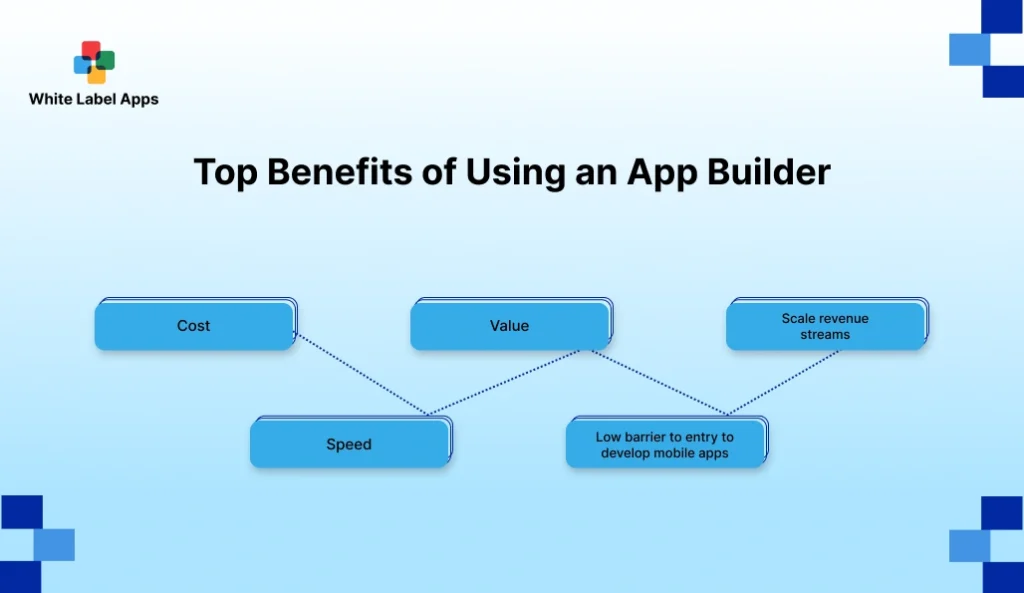
1. Cost
Custom builds cost more because you pay for discovery, design, dev, QA, and revisions. With a builder, the base product is already made.
- Lower upfront build effort for common app types.
- Clearer packages like Basic, Standard, Pro.
- Less rework because the core flow is proven.
2. Speed
Speed is the biggest reason people pick builders. The faster you ship, the faster the client starts seeing results.
- Faster first version, because templates exist.
- Quick branding changes for each client.
- Easier updates when you manage many apps.
3. Value
Value is not only “an app.” Value is what the client can do after launch. Take orders. Take bookings. Reduce calls. Track requests.
- Clear outcomes, like fewer missed bookings.
- Easier repeat use through re-order and reminders.
- Better customer experience with consistent flows.
4. Low barrier to entry to develop mobile apps
Many agencies want to sell apps but do not want to hire a full dev team for every project. Builders reduce that barrier.
- Less technical dependency for basic setups.
- Faster onboarding for new team members.
- More time spent on strategy and client success.
5. Scale revenue streams
This is where the reseller model becomes real. One base product. Many client versions. Then support and add-ons on top.
- Monthly support plans become easy to justify.
- Add-ons like loyalty, coupons, or memberships sell naturally.
- You can serve more clients with the same process.
Challenges and Limitations of White Label App Builders
White label builders are useful, but they are not for every project. If you sell them like a perfect shortcut, you will get stuck later. The smarter move is to know the common limits, and plan around them.
1. Limited customisation for unique workflows
Builders work best for standard use-cases. Ordering, booking, delivery, simple content. If your client wants a very specific flow, you may not be able to build it cleanly. You can add workarounds, but workarounds get messy over time.
2. Platform dependency
When you use a builder, you depend on their roadmap. If they change pricing, remove a feature, or delay an update, you feel it. This is not always a deal-breaker, but you should be aware of it before you commit.
3. Integrations can be restricted
Many builders support common integrations like payments and analytics. But custom integrations can be hard. If a client has a legacy CRM, a custom ERP, or a special inventory tool, you may hit limits.
4. Performance can vary
Some builders produce apps that feel heavy. Slow loading screens, too many scripts, or poor optimisation. This hurts conversion, especially on older phones. Testing early is important, otherwise you will find issues after launch.
5. Security and compliance concerns
If your client handles sensitive data, you need stronger controls. Healthcare, finance, education, and legal often have privacy and audit needs. A builder may not give the depth you need. In those cases, custom development can be safer.
If you want a clear reference on what “governance + security controls” look like in a popular low-code ecosystem, see Microsoft’s Power Platform security and governance considerations.
6. Ongoing costs and scaling costs
Builders usually have monthly fees. As you add more client apps, your platform costs grow. If you price your reseller plans poorly, your margins can shrink.
Also Read: White Label Online Ordering System: Full Guide to Cost, Features, Setup & ROI
Who Are White Label App Builders For?
White label app builders are for people who want to sell apps in a repeatable way. Not one project once a year. More like a steady pipeline. If you sell websites, marketing, or software services already, a builder can become your “product layer.”
The best fit is anyone who needs speed and consistency. If your clients mostly need common app flows, a builder helps a lot. Ordering, booking, delivery, memberships, and simple portals. You can launch faster, keep pricing clearer, and support many client apps without losing control.
Here are the groups that benefit most.
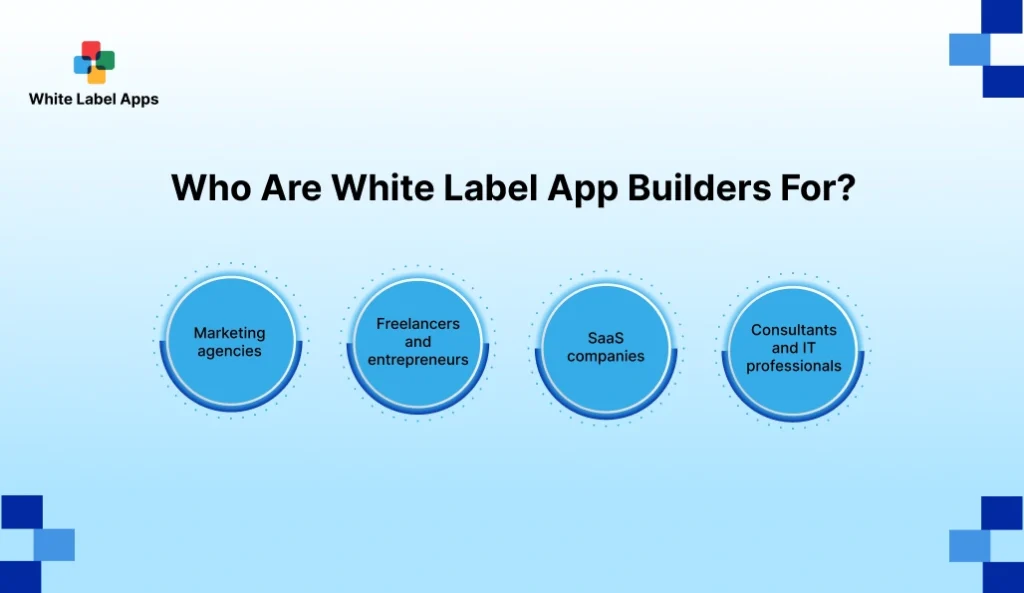
1. Marketing agencies
Agencies already manage branding, funnels, and campaigns. A white label app builder lets them add apps as a packaged offer. The app becomes an owned channel for clients, and the agency can upsell support, promotions, and retention features.
2. Freelancers and entrepreneurs
Freelancers and solo operators often lose deals because they cannot promise timelines. Builders help them deliver faster and look more “full service.” They can start with one niche, build a repeatable template, and sell the same offer again and again.
3. SaaS companies
Some SaaS companies use builders to offer a branded companion app. It can be a client portal, a booking layer, or a community layer. This helps retention, because customers use the product more often.
4. Consultants and IT professionals
Consultants and IT pros often get pulled into “please fix our process” work. A builder lets them offer a standard solution faster. They can sell setup, integration, training, and ongoing support, without building every feature from scratch.
Top 5 Best White Label App Builders in 2026
There is no “one best” tool for everyone. The best white label app builder depends on what you are selling. A content app. A community app. Or a shopping app. So I’m keeping this list practical. What each tool is best for, and what you should watch out for.
1. MobiLoud
MobiLoud is a solid pick when your client already has a strong website and wants a native iOS + Android app on top of it. It feels less like a DIY builder and more like a managed setup. Good for publishers, content sites, and communities that want push notifications and a cleaner mobile experience.
- Best for: Website-to-app, content, membership, communities.
- Why it fits: Done-for-you setup, predictable monthly plans.
- Watch-outs: If the client needs deep custom workflows, you may feel limited.
2. Appy Pie
Appy Pie is a no-code builder that works well when you want quick prototypes and simple business apps. It also pushes a reseller angle, so agencies can package apps for clients.
- Best for: Small business apps, quick delivery, basic apps.
- Why it fits: No-code approach, reseller program messaging.
- Watch-outs: DIY builders can get messy if you promise “custom app level” logic.
3. Appian
Appian is more “enterprise low-code” than “small business app builder.” Use it when the main need is process, workflows, approvals, and systems. Think internal apps, case management, and secure business workflows.
- Best for: Enterprises, workflow apps, process-heavy apps.
- Why it fits: Strong low-code + process focus, cross-device apps.
- Watch-outs: Not a casual tool. It needs planning and technical ownership.
4. Movement
Movement is best when the “app” is really a community and content product. Coaches, creators, and brands use it for memberships, feeds, messaging, and selling digital products. It is white-label friendly and starts low, which helps new sellers.
- Best for: Community apps, coaching apps, memberships, content.
- Why it fits: Clear white-label positioning and simple plans.
- Watch-outs: Not built for complex ecommerce or logistics flows.
5. Plobal Apps
Plobal Apps is a strong choice for ecommerce brands on Shopify that want native mobile apps. It is built for shopping journeys and retention loops, like push notifications and app-first offers. Shopify’s listing shows pricing and trial info, which is handy for comparison.
- Best for: Shopify ecommerce brands that want iOS + Android apps.
- Why it fits: Shopify-focused setup and a clear store listing.
- Watch-outs: Best if the client is already on Shopify.
Conclusion
A white label app builder is a practical shortcut when your use-case is common. Ordering, booking, content, memberships, or simple customer portals. You save time because the base product is already there. You focus on branding, setup, testing, and support.
But do not treat every project like a template job. If the client needs unique workflows, deep integrations, or strict controls, a custom build can be the safer choice. The best approach is to match the tool to the job, not the other way around.
If you are running a white label app builder model as an agency, keep your offer tight. Pick 1–2 niches. Create one demo per niche. Then sell packages with clear scope and support. This is how a White Label Mobile App Reseller Program stays profitable and repeatable.
FAQs
1. What does a white label app builder do?
It helps you create, brand, and publish apps faster. You choose a template or base app type, set colours and logo, configure features, and manage updates from one dashboard.
2. What does it mean to build an app?
It means creating the screens, logic, and backend setup needed for users to sign up, take actions, and get results. It also includes testing, publishing, and maintenance after launch.
3. Is it cheaper to build an app or a website?
A website is usually cheaper. An app often costs more because it needs store publishing, device testing, and ongoing updates. Builders can lower the cost for common app types, but it still depends on scope.
4. Is it hard to build an app?
It can be hard if you are building from scratch. With a builder, it becomes easier for standard use-cases. The real challenge is getting the flow right and testing properly.
5. Do you need to be a programmer to build an app?
Not always. Many white label app builders are no-code or low-code. You can build basic apps without programming, but complex apps still need technical help.
6. Are white label app builders worth it?
Yes, if you need speed and your app needs are standard. They are usually worth it for agencies, resellers, and small businesses that want a branded app quickly. If you need heavy custom workflows, custom development may be a better fit.

whitelabelapp
Related Articles
White Label Personal Training App Development: Launch Your Branded Fitness App Faster
Your day is full of small fitness tasks. A client asks for the plan again. Another forgets to pay. Someone says the video link is not opening. It all happens on WhatsApp, notes, and screenshots, and it gets messy fast. A white label personal training app helps you put workouts, check-ins, payments, and progress in […]
Read More
Top 15 White Label Reseller Programs That Deliver Big Profits in 2026
If you have ever tried reselling services, you know the truth. The pitch is easy. Delivery is where most resellers bleed time and profit. That is why this list is not based on “popular names” or random directories. We did deep research before writing this blog. We reviewed reseller program pages, service menus, white label […]
Read More